











K-Units · Màn hình & chức năng
Backups, restore and updates
Protect your inventory with off-device backups and install new versions without losing data.
Bài viết này chưa được dịch sang ngôn ngữ của bạn: đang hiển thị bản English.
Trong trang này
Backups
A backup holds everything: stock, history, attachments, users and counts. An automatic backup is made every 24 hours while the app or server is running.
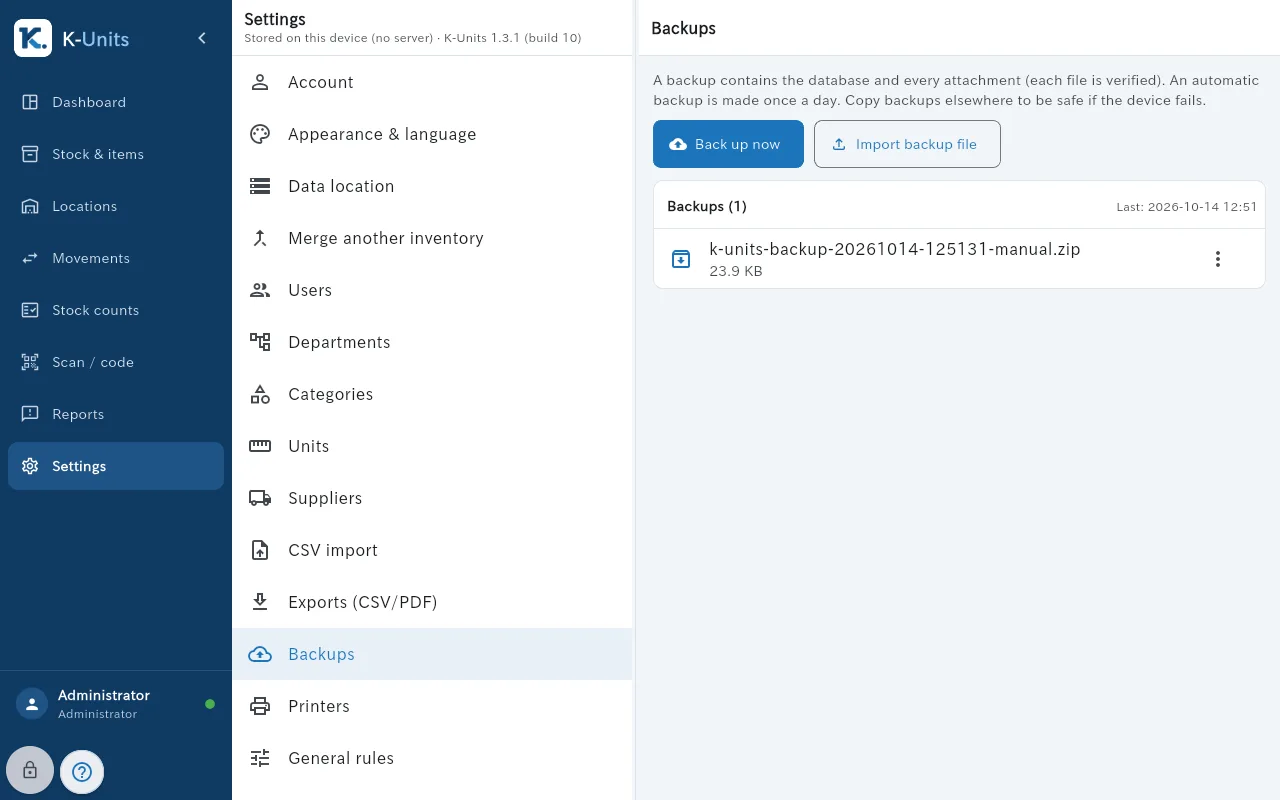
- Open Settings → Backups and tap “Back up now”. The file appears in the list with its date and size.
- In the backup’s menu, use “Download / save” or “Copy to…” and keep a copy off the device (USB stick, another folder or a network folder).
- To restore, use the device that holds the data (the tablet in local mode or the server PC). Current data is saved first, and everyone signs in again afterwards.
Updates
- Open Settings → Updates. The first time, tap “Configure access” and enter the code from the person in charge.
- Tap “Check for updates” and read what changed.
- Tap “Download”. The file is checked before it is ready.
- Save what you are editing, make a backup and tap “Install now”. Then check the version in Settings → About.