











KoMail · 界面与功能
Write and send an email
Recipients, attachments, signature and scheduled sending.
此文章暂无您的语言版本,以English显示。
本页目录
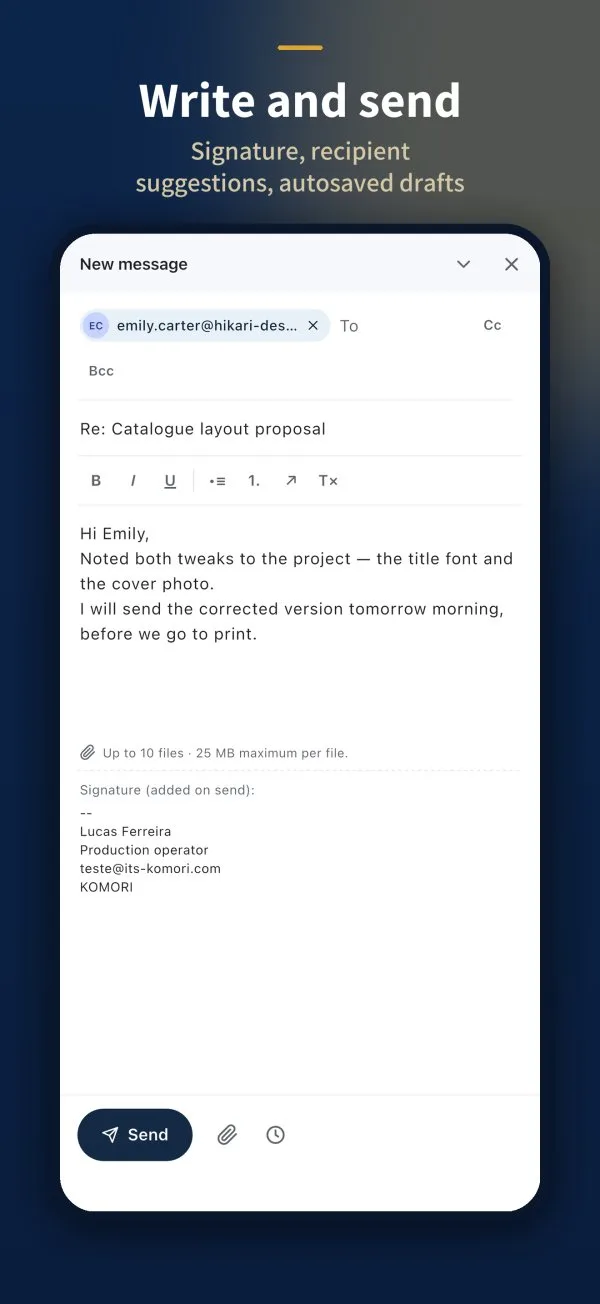
- In the inbox, tap Compose.
- Start typing in To: KoMail suggests contacts. Use Cc and Bcc if needed.
- Write the subject and text. The toolbar has bold, italic, underline and lists.
- To attach, tap the paperclip (up to 10 files, up to 25 MB each).
- Tap Send.
Signature
The signature shows at the end of the message and is added when you send. To change it, go to Settings › Signature.
Schedule the send
- Write the message as usual.
- Tap the clock next to the paperclip (Schedule send).
- Pick the date and time.
The message waits in the Scheduled folder until it goes out. You can Reschedule it there.