











KoMail · 界面与功能
AI summary, translation and reply drafts
When configured for your account, assistance can summarize, translate or draft replies from the conversation context.
此文章暂无您的语言版本,以English显示。
本页目录
What this is for
When configured for your account, assistance can summarize, translate or draft replies from the conversation context.
Step by step
- Check your available AI setting: your own connection, permitted company access or Off.
- Choose summary, translation or a reply draft in the conversation.
- Verify language and context before running.
- Review names, dates, amounts and recipients in the result.
- Use reviewed text in Compose; drafting a reply is not sending it.
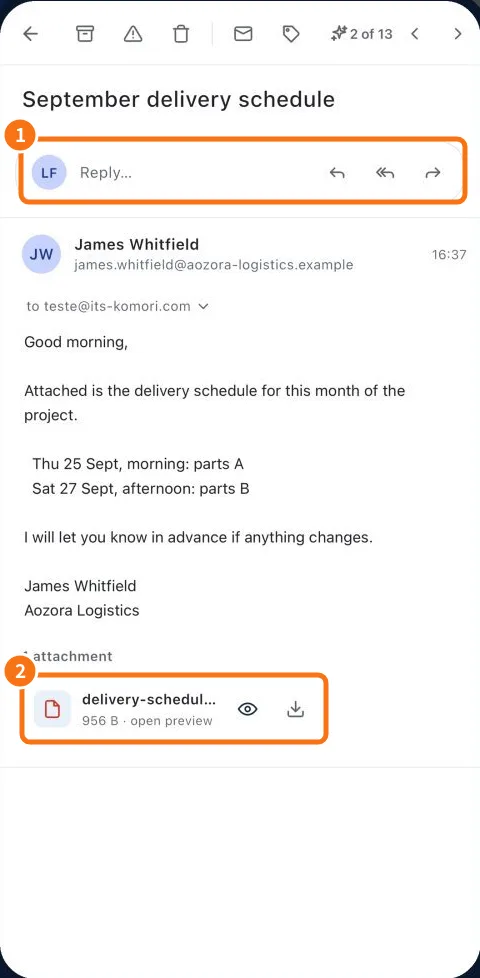
Demo screen. Numbered highlights mark the controls discussed; the image language may differ from yours.
Tip
If something goes wrong
If no result appears, check that assistance is enabled and configured. Read the error and retry without sending unreviewed text.
Related articles
- FAQ: 20 answers