











KS
KOMORI Software catalog (KŌLOGY brand)
KOLOGY Software Lite
Delivery routing on PC (KŌLOGY, KOMORI Software catalog).
Screens & features
AllDispatch map 5Deliveries and completion 3Import data 1Areas and bases 2Backup, updates and settings 4How to — operator 3Plans and limits 1
Dispatch map
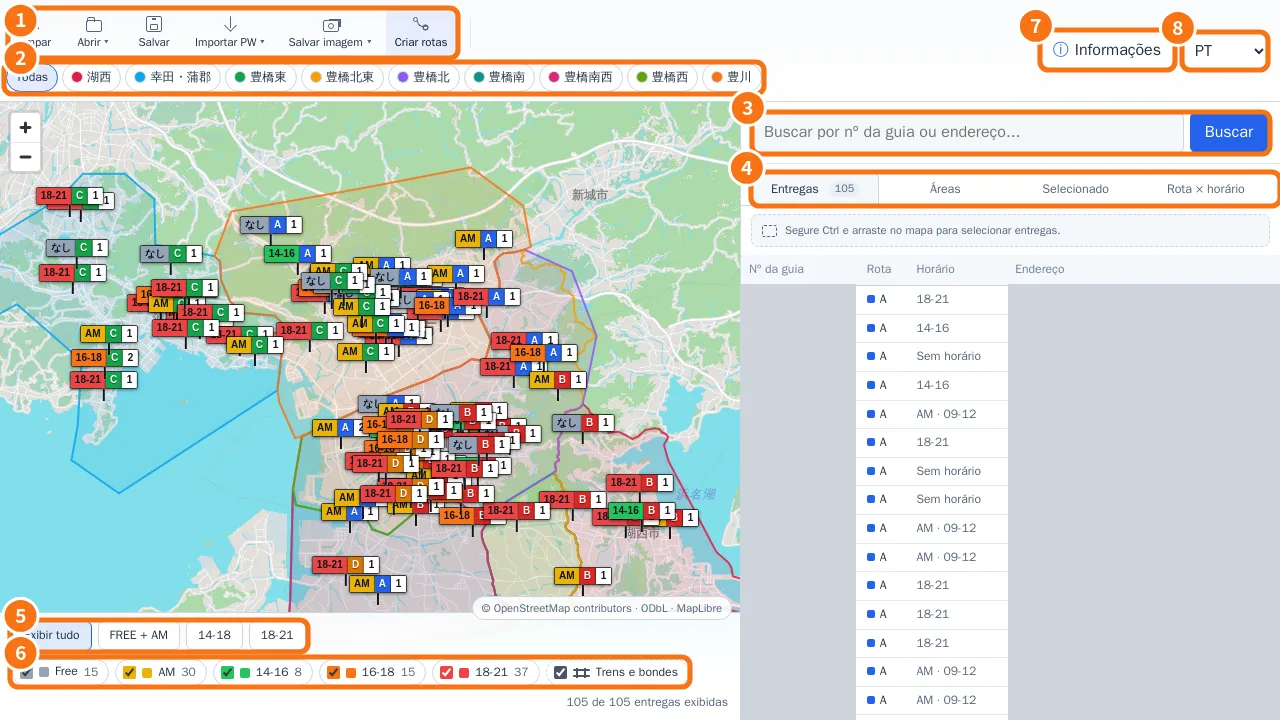 Dispatch map: the main screenToolbar, area buttons, the panel with Deliveries, Areas, Selected and Route × time window, and the footer filters.
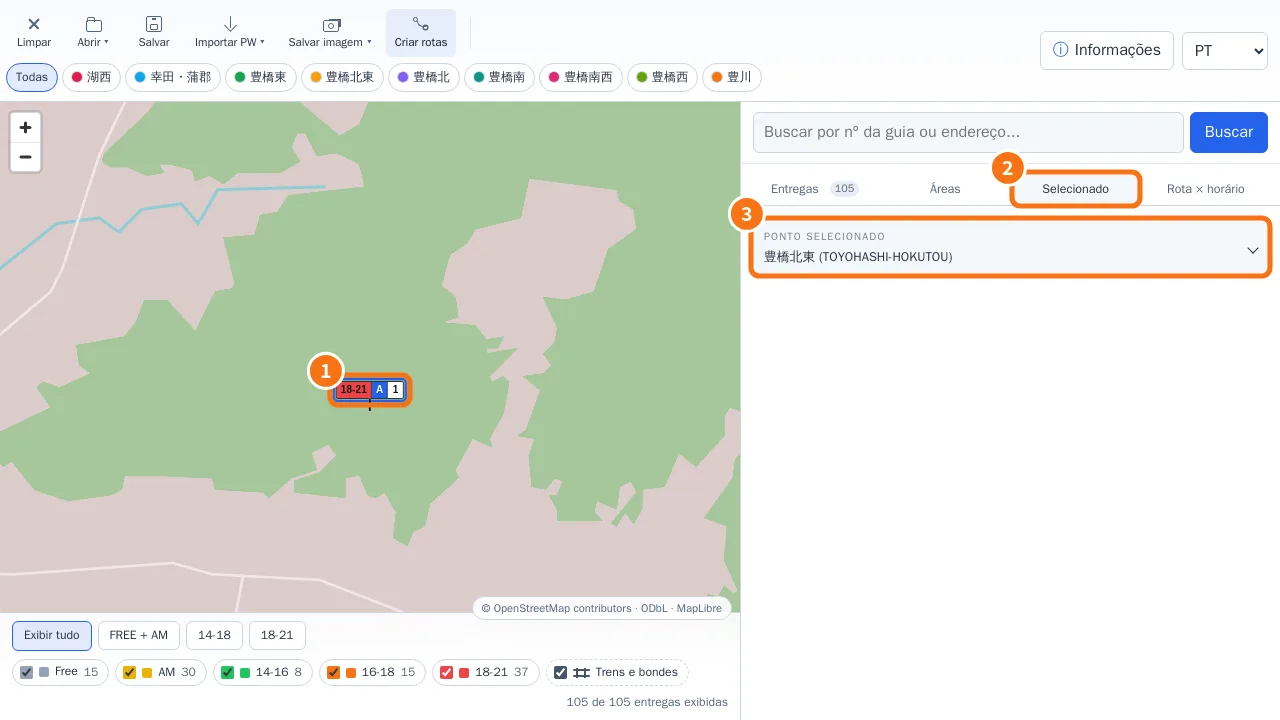 Edit a delivery from the mapQuick editor on pin click, Full edit, AM/PM period with exact time, and the Selected tab.
- Right-click menu, markers and manual driversThe right-click menu changes with what you click: map background, delivery, marker or driver.
- Distance and street routeMeasure between two points or build an accumulated route with Ctrl + click; the calculation runs on your own computer.
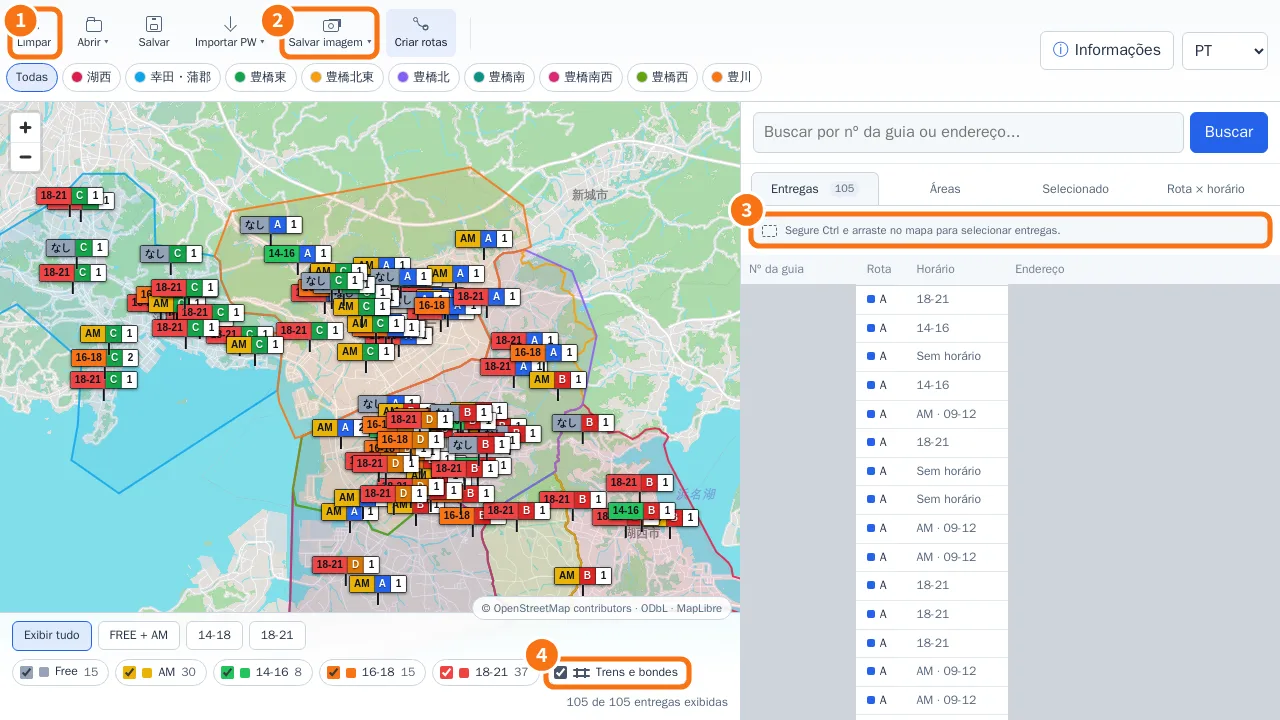 Ctrl selection, Save image (JPG/PDF) and layersSelect only the deliveries inside a rectangle, export the visible map as JPG or A4 PDF, and show or hide rail and tram lines.
Deliveries and completion
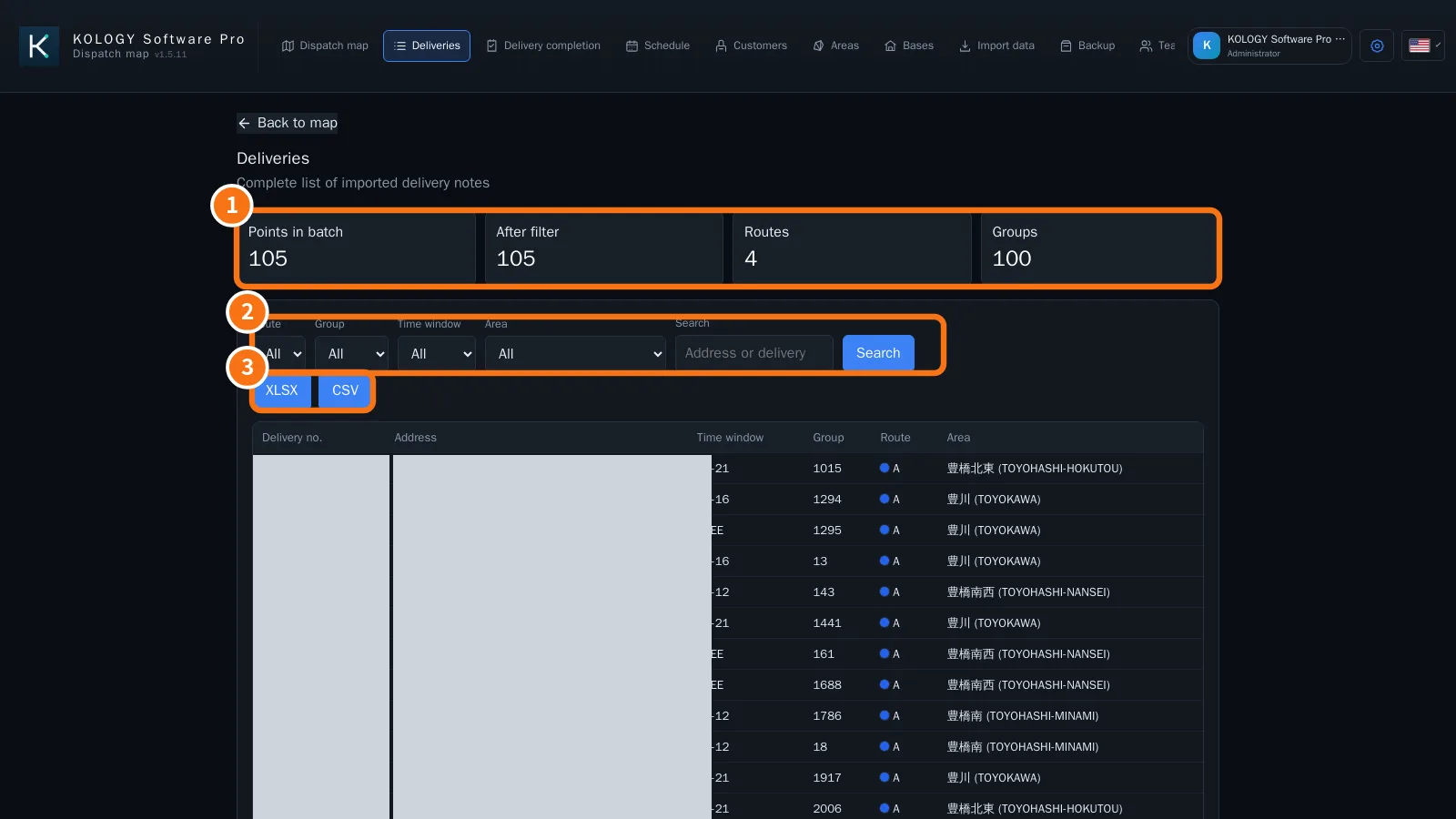 Delivery list and export (XLSX/CSV)The Deliveries screen lists every slip in the batch with filters, counts and export of the filtered result.
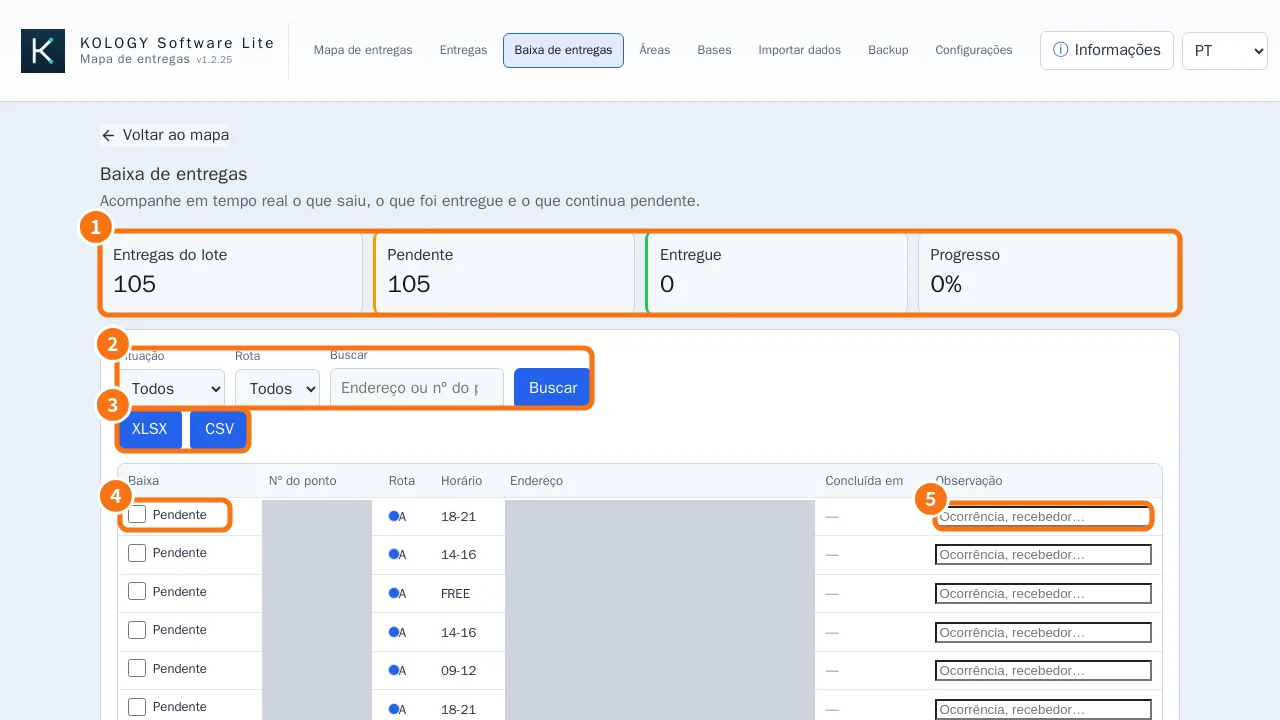 Delivery completion and daily report (extension)Mark each delivery as completed, note occurrences and export the batch report as XLSX or CSV.
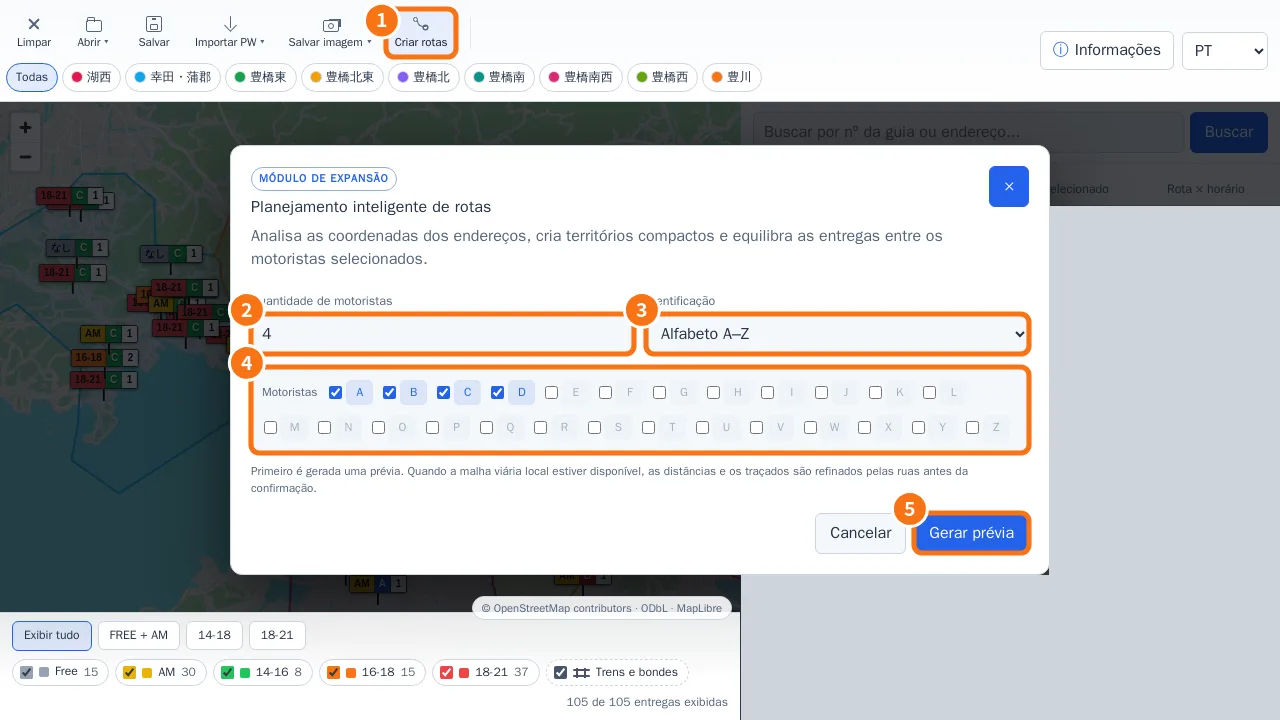 Intelligent route planning (Build routes)Split deliveries among the drivers you pick, check the street paths, and only then apply.
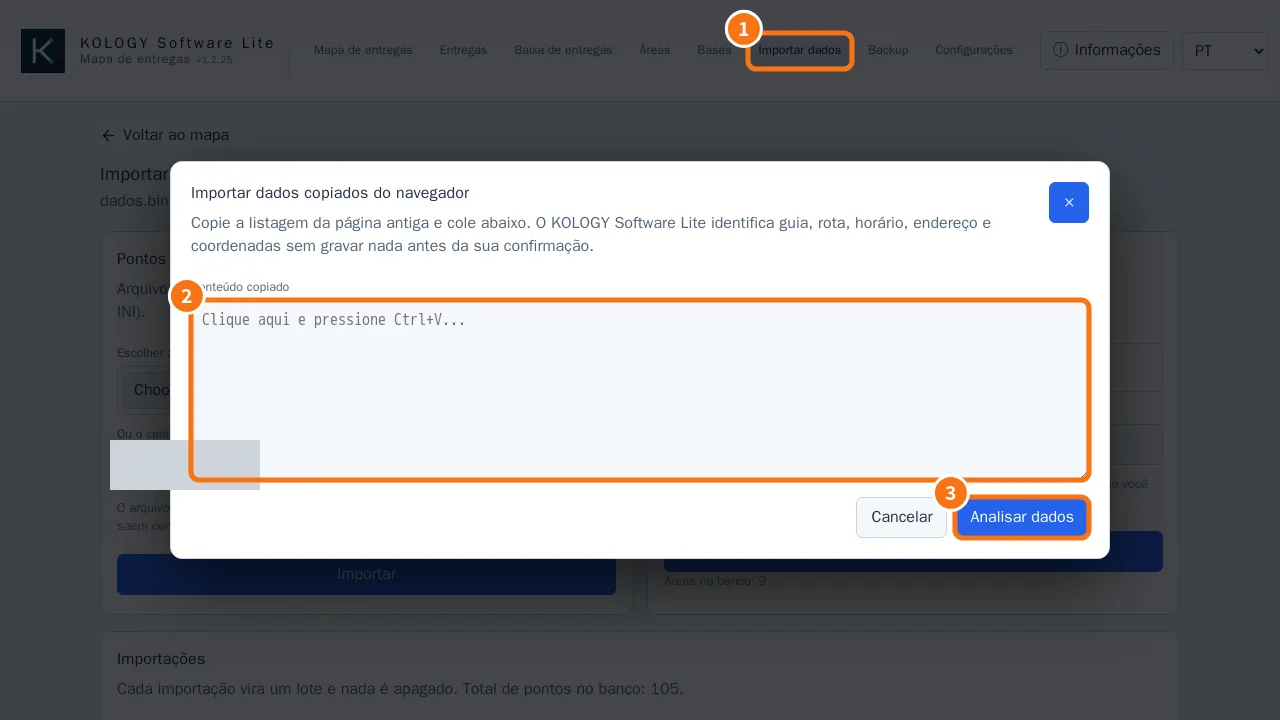
Import data
Areas and bases
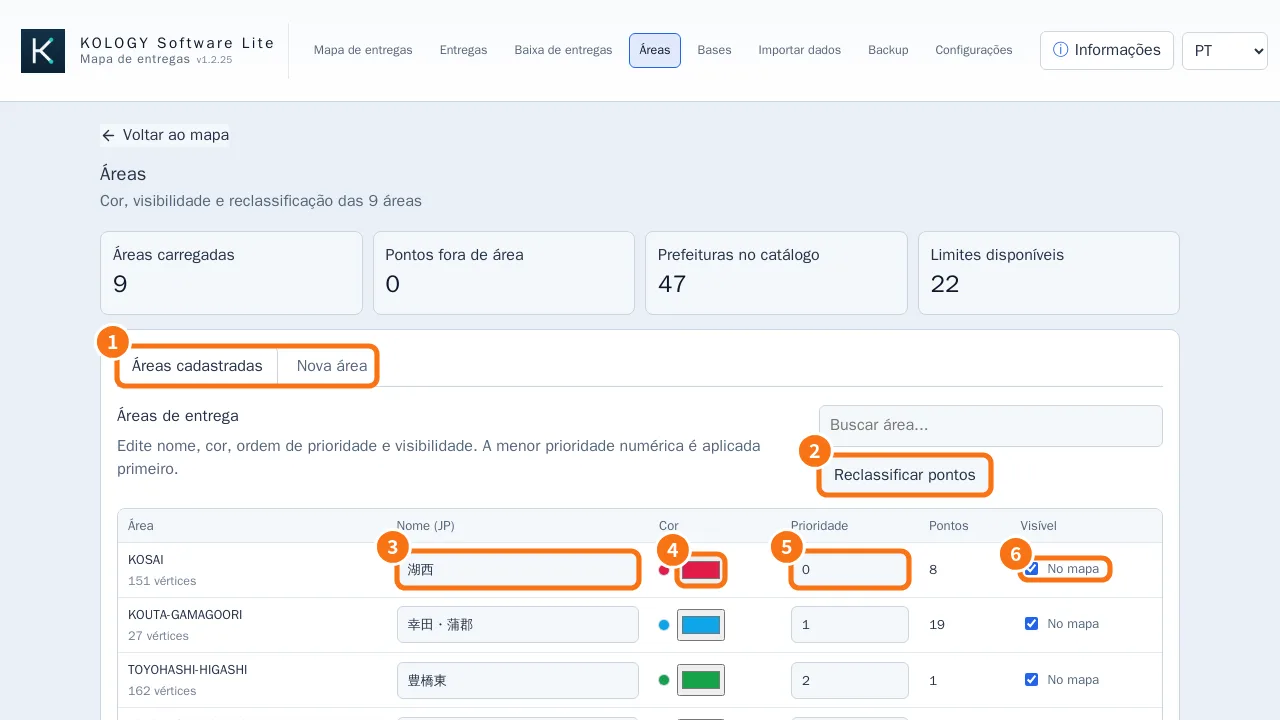 Delivery areas: colours, priority and new areasAdjust area name, colour, priority and visibility, reclassify deliveries, and create new areas from the catalog, from addresses or by drawing.
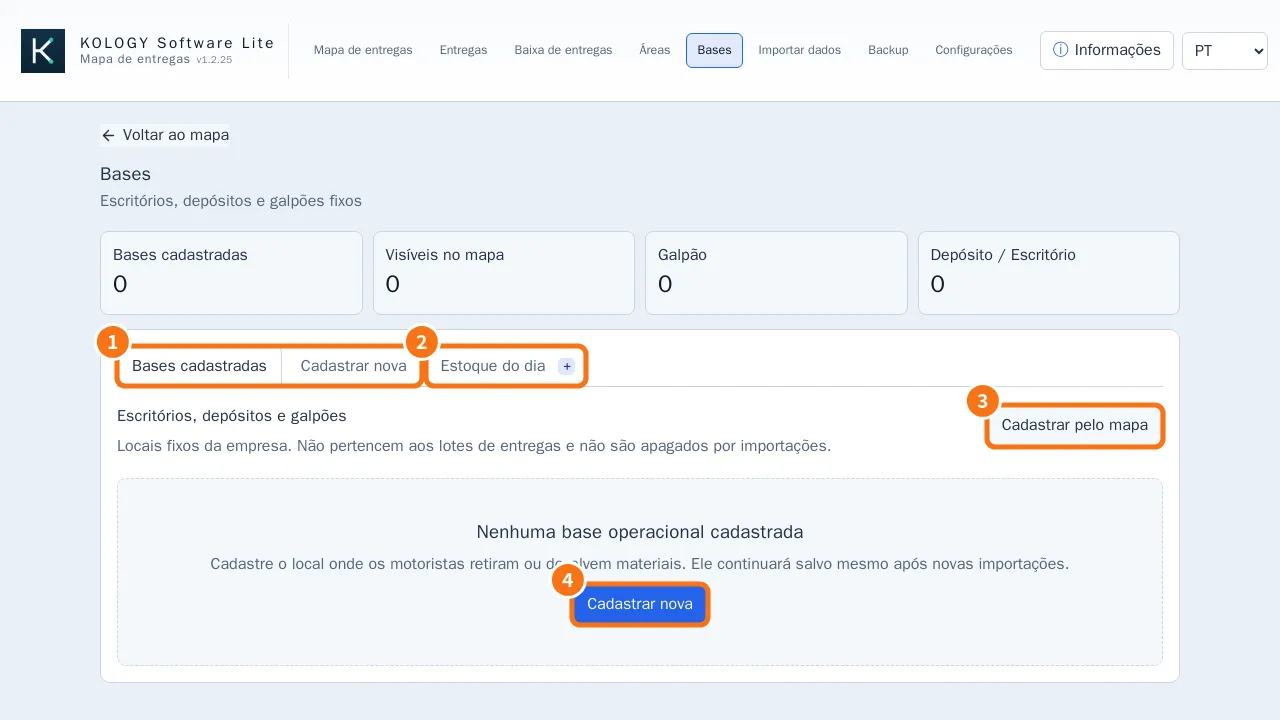 Bases, cargo and daily stockRegister fixed offices, depots and warehouses on the map and, with cargo enabled, track stock and expected balance per base.
Backup, updates and settings
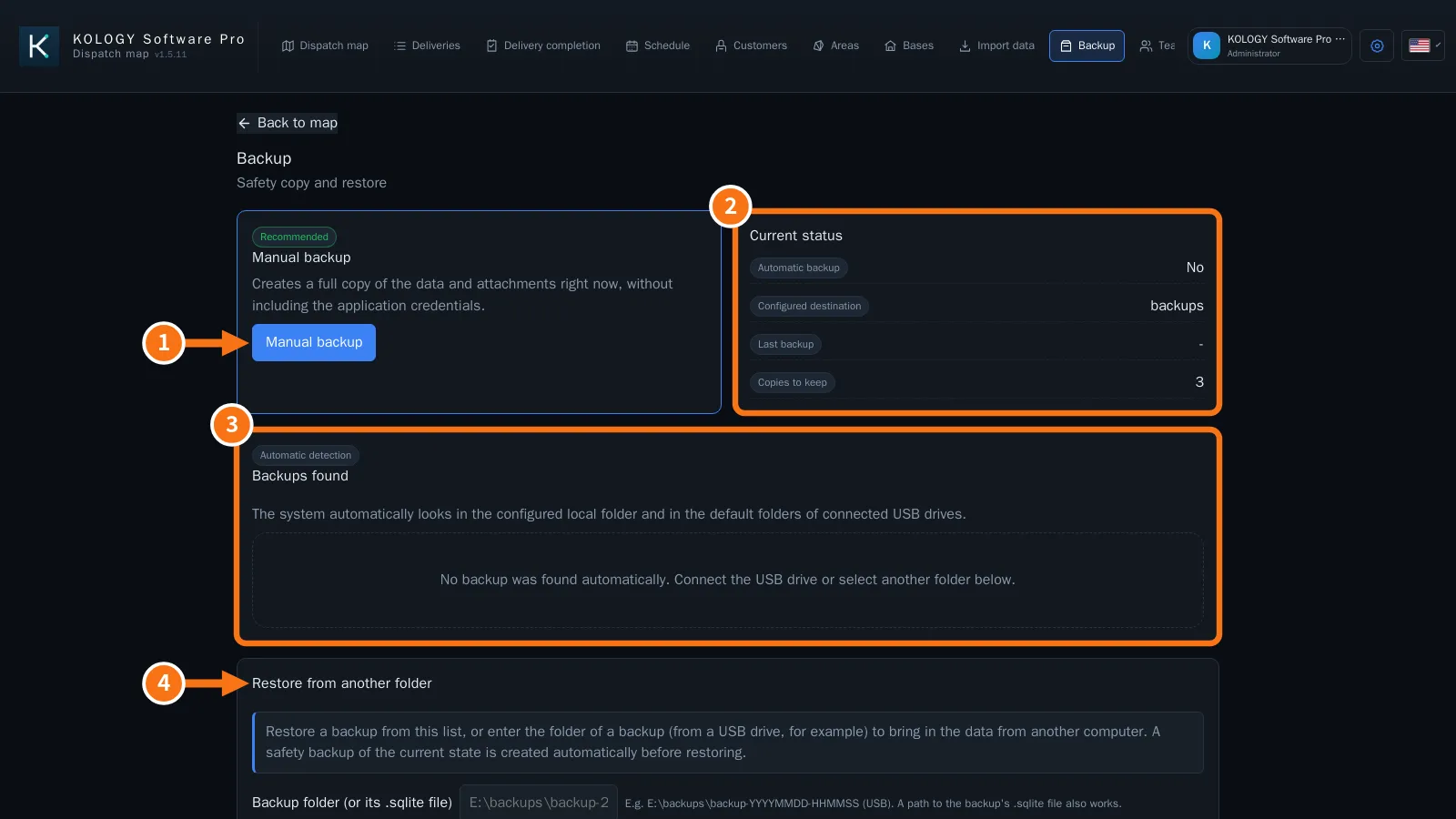 Backup, restore and safe updatesManual and automatic backup (USB drives too), restore with a safety copy, and updates that only restart when you confirm.
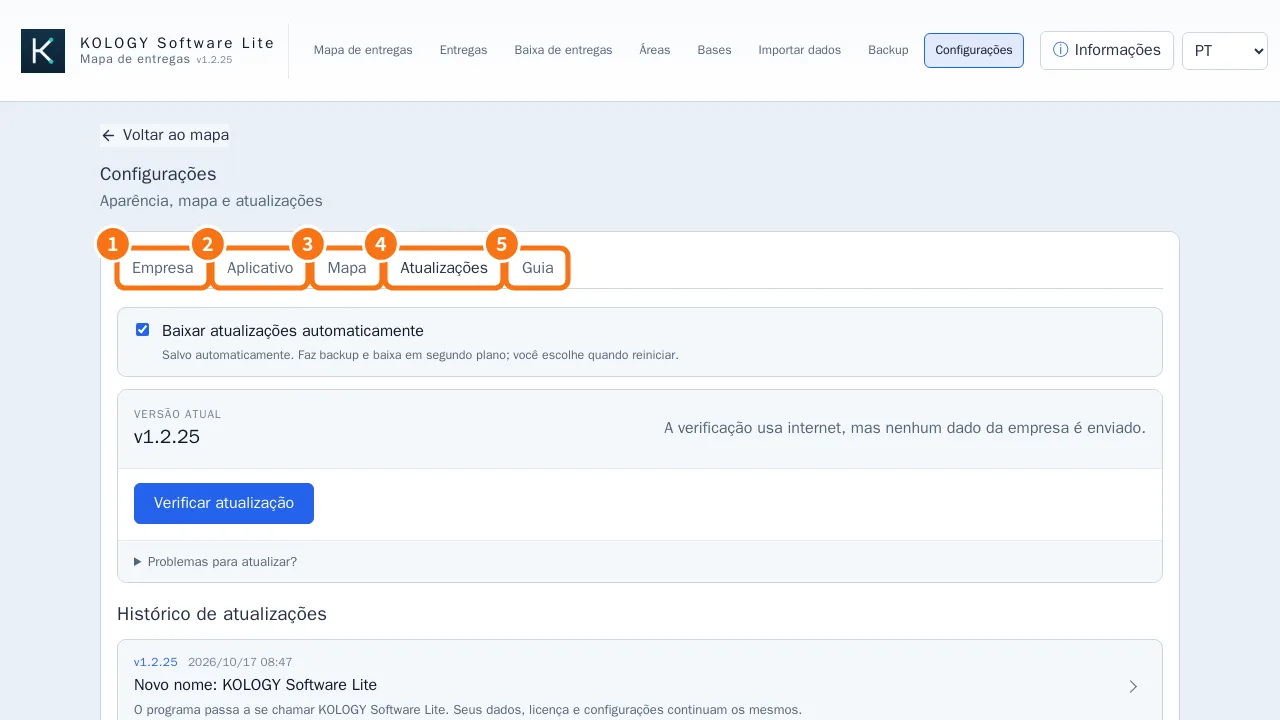 Settings: company, application, map, updates and guideCompany details and logo, theme and text size, start with Windows and tray, map and the illustrated guide.
- Offline maps by prefectureAichi is pre-installed; download other prefectures or the whole of Japan in the background without disturbing work.
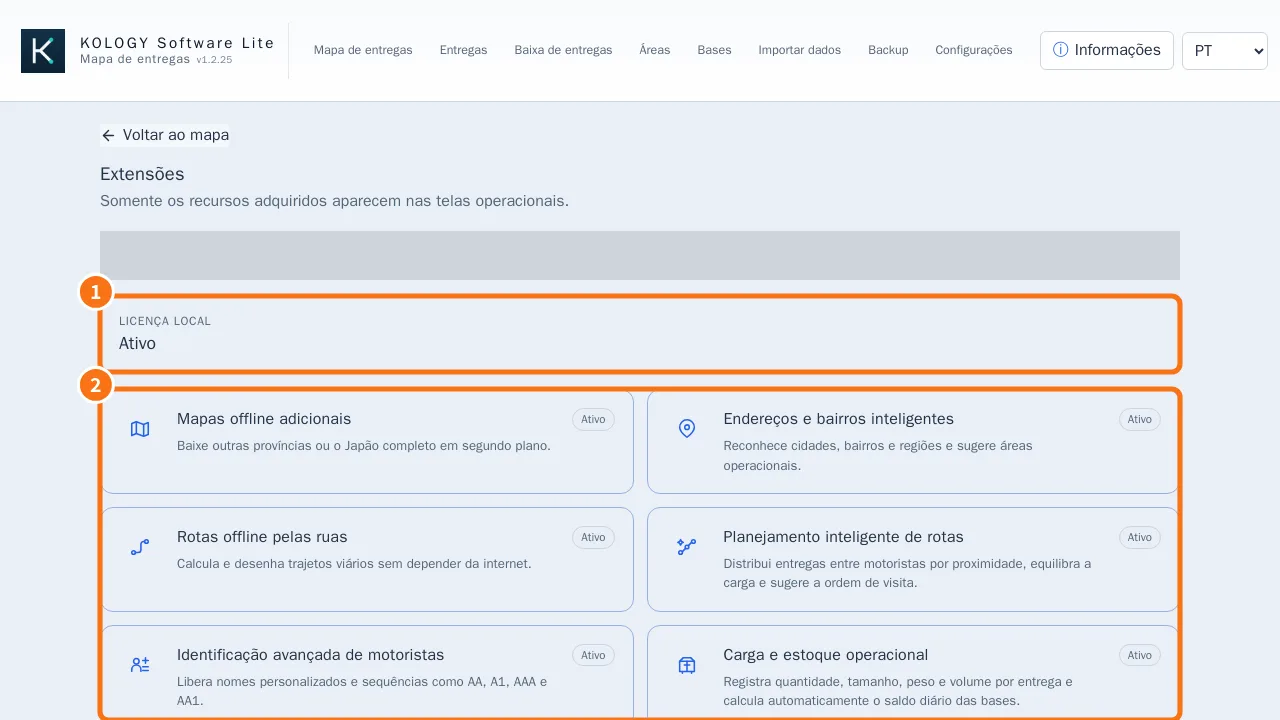 Extensions and purchased featuresSee which add-ons are active on this computer, sync new purchases and open the add-on catalog.
How to — operator
- How to prepare the delivery day, from file to printed mapThe full daily routine: import, check, fix, split by route, produce PDF/spreadsheet and save.
- How to create a new area (catalog, addresses or drawing)Three ways to create a delivery area and how to apply it to deliveries already imported.
- How to move your data to another computerBack up to a USB drive, install and activate on the new PC, and restore the data without losing anything.