











KOLOGY Software Lite · 界面与功能
Settings: company, application, map, updates and guide
Company details and logo, theme and text size, start with Windows and tray, map and the illustrated guide.
此文章暂无您的语言版本,以English显示。
本页目录
The Settings screen groups the program's preferences in tabs. Some apply only to this computer (theme, text size, pin style); others are company details used on screens and documents.
Where it is
Information → Settings. Language is changed with the selector at the top right (Lite) or the flag (Pro).
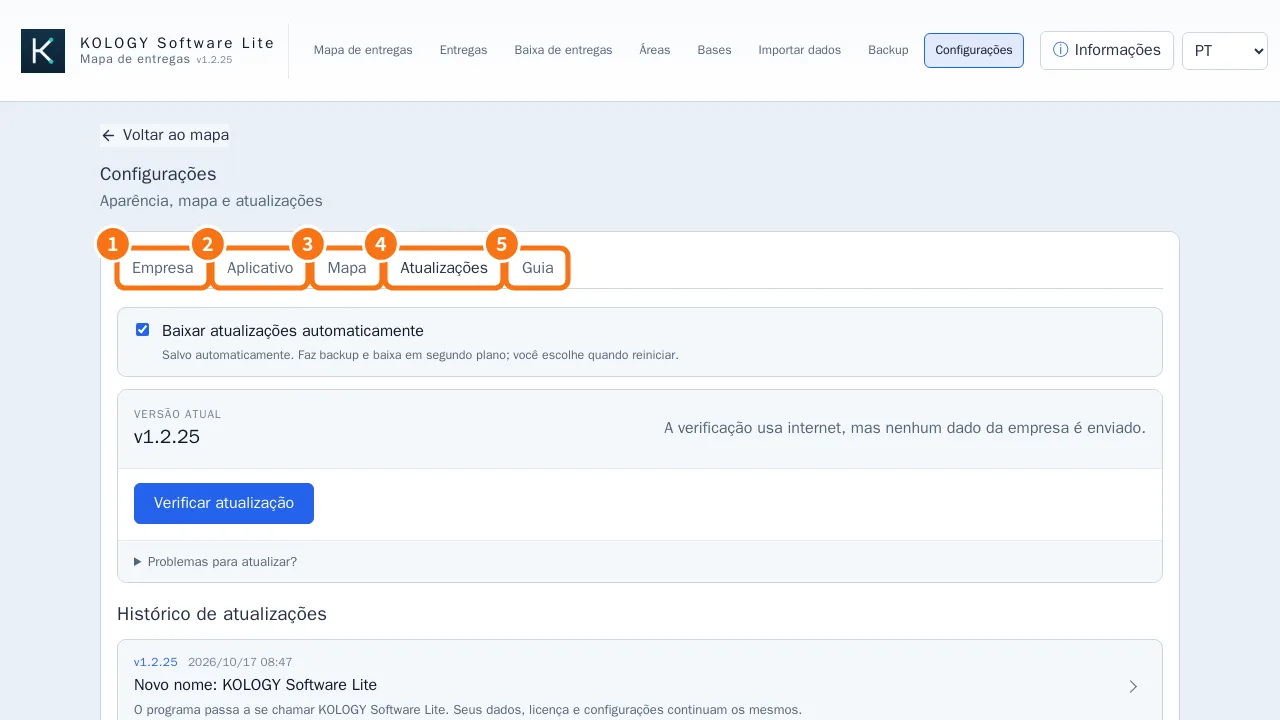
The tabs
- Company: Company details (name, registration, phone, email, address — all optional) and Visual identity (company logo and icon; the product name does not change). Click Save.
- Application: Appearance: Theme (Use system setting, Light, Dark) and Text size (Small to Extra large). In Lite, with the Custom delivery pin styles extension, also Pin style (Classic, Compact, Professional). Startup and closing: Start with Windows, Keep in the tray when closing and Minimize to the system tray. Notifications: Windows tray notifications and Notify me about updates. Tray and startup options take full effect the next time the program opens.
- Map: the Offline map regions (see “Offline maps by prefecture”) and Always use reduced mode (raster map) — leave it off; use it only if the PC is slow.
- Updates: automatic download, check, full installer and history (see “Backup, restore and safe updates”).
- Guide (Lite): illustrated manual with 12 chapters; those that need an extension are marked. In Pro, the guide is its own Guide menu, searchable, with Print guide (A4 in the current language).
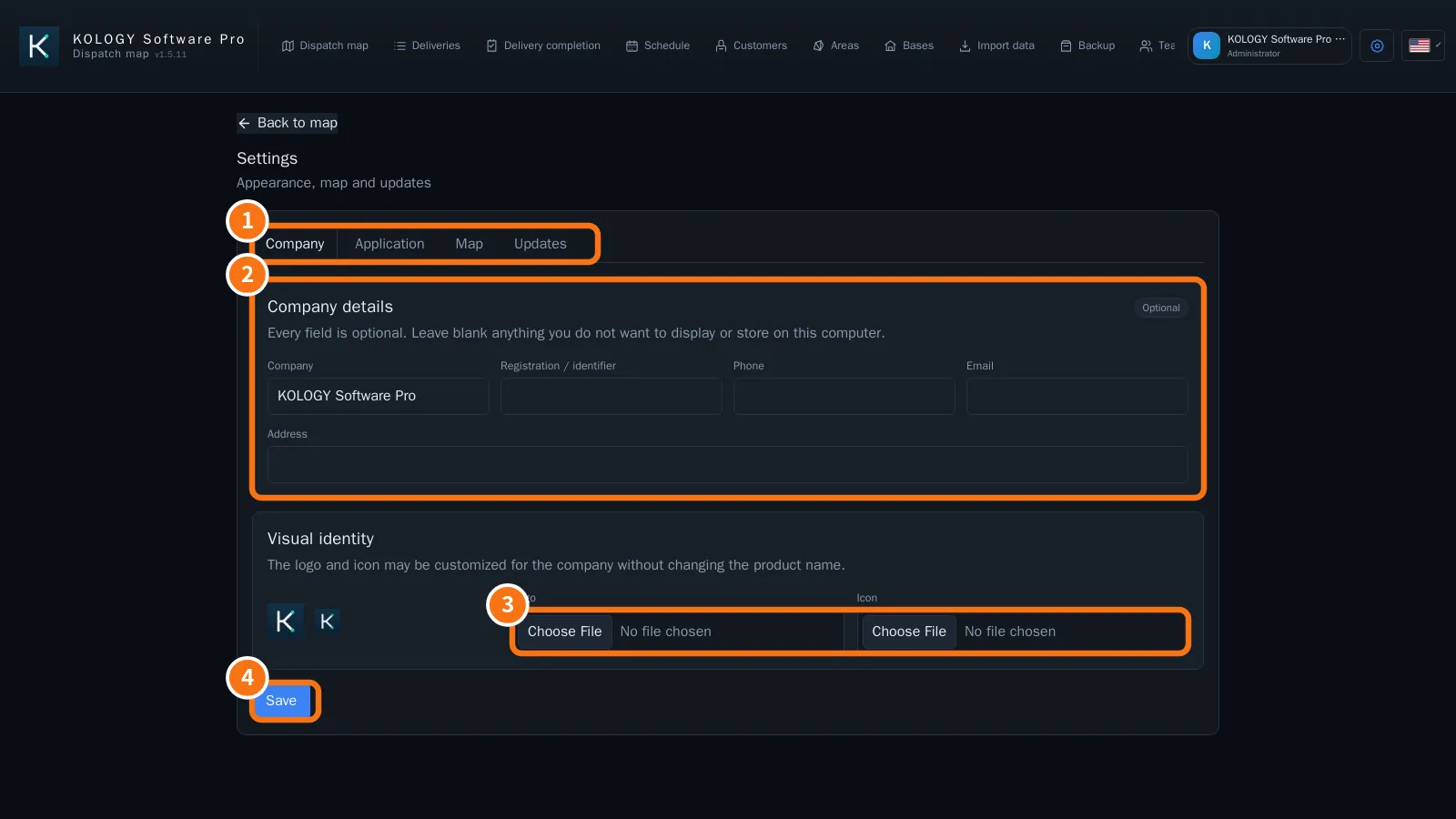
In Pro: ① tabs, ② Company details, ③ logo and icon, ④ Save.
Common mistakes
- I closed the window and the program is still running: Keep in the tray when closing is on. Click the icon next to the clock to reopen it, or turn the option off.
- I changed text size and another PC did not change: appearance is saved per computer.
Related questions
- Offline maps by prefecture
- Backup, restore and safe updates
- Extensions and purchased features