











K-Units · Mga screen at feature
Dashboard: your stock at a glance
Value, items below minimum, reservations, open counts and today’s movements on one screen.
Hindi pa naisasalin ang artikulong ito sa inyong wika: ipinapakita ang bersyong English.
Sa pahinang ito
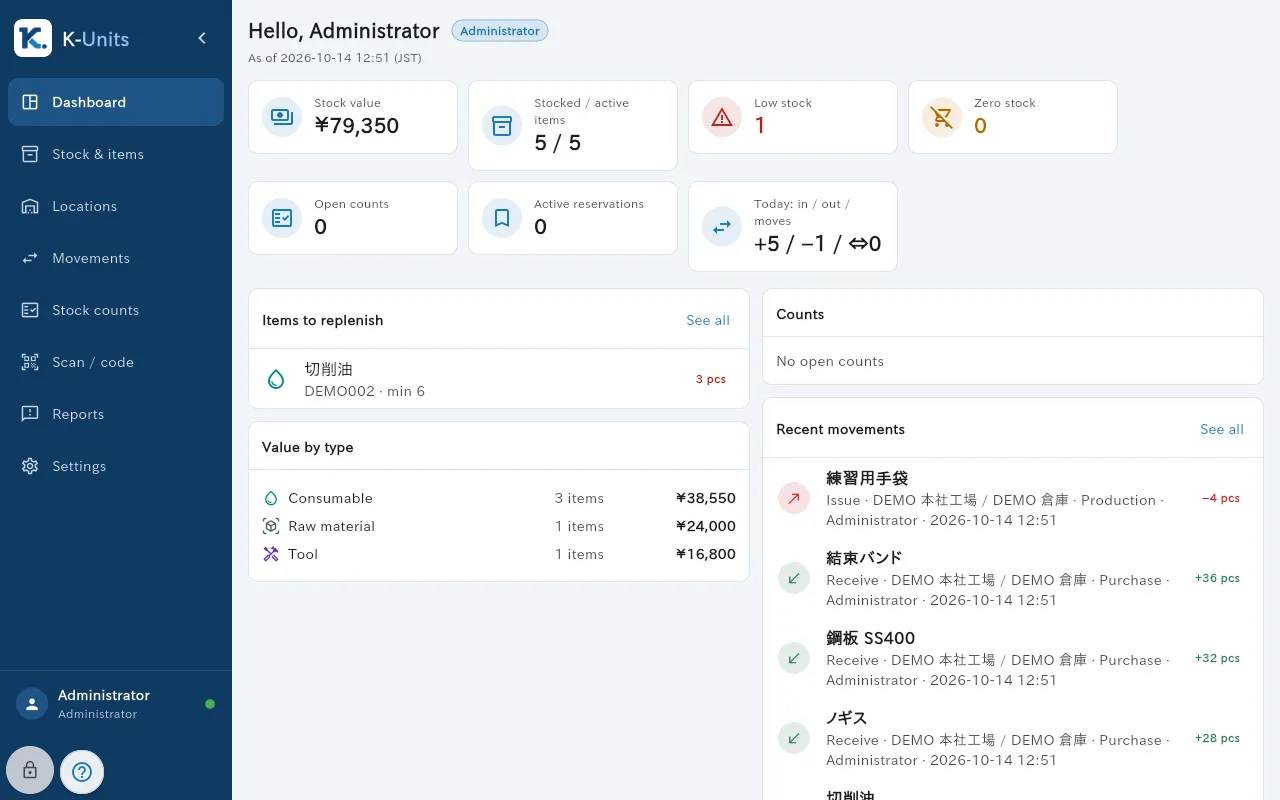
The Dashboard is the first screen after signing in. It summarises the stock you are allowed to see.
What is on the screen
- Cards: stock value, stocked versus active items, low stock, zero stock, open counts, active reservations, and today’s receipts, issues and transfers.
- Items to replenish: what is below minimum.
- Value by type: consumable, raw material, tool.
- Recent movements and open Stock counts.
- The menu on the left leads to Stock & items, Locations, Movements, Stock counts, Scan / code, Reports and Settings.
Common actions
- Tap a card or “See all” to open the matching list, for example the items to replenish.
- If “Your scope only” appears, the figures count only your departments and locations.
- The time marked (JST) under the title shows when the data was last checked.