










- NuevoOperations Center v2 adds Today’s agenda with official tasks by department, photos and Japanese names. Included in automatic rotation.
- NuevoThe agenda footer highlights the current or next department meeting with a countdown.
- CorregidoShared accounts keep the language on each device. A discreet calendar icon sits beside pause.

Información en pantallas
k-TV
Cómo usar k-TV
Novedades
- NuevoLunch and breaks announce with the existing bell and Japanese voice. Visual notices remain when muted, without repeating after restart.
- MejoraTVs: open Date / time anytime. A subtle Japanese calendar, clock and lunch/break countdown follow company settings.
- MejoraFAC v3 purchase cards show material photos, using the shared stock/material catalog images.
- NuevoDATE and TIME screen in the rotation: every so often, for 5 seconds, a big calendar with today's date and weekday (曜日) and a big clock appear, then the TV goes back to its screen by itself. In Japanese, or the language chosen on the TV.
- CorregidoCalls: the alert stays at least 15 seconds on screen, even when the sound does not play, and switching screens in the rotation does not restart the same call (nor play the music again).
- NuevoMENU is now Settings in tabs: Screen (choose screen, theme, notice previews) · Language · Device (name, account, open at power-on, sync, saved media) · About (version, update, What's new). All with the remote: ← → ↑ ↓ move between tabs and buttons, OK selects, BACK closes. Nothing was removed — only moved.
- Nuevo7 languages: 日本語 · Português · English · Tagalog · 简体中文 · Tiếng Việt · Español — in Settings › Language and in Choose screen, with a "Follow the device" option. The language you chose before stays. In 简体中文, Tiếng Việt and Español the menu is in that language; screen content (screen names, boards, notices) shows in English for now.
- MejoraUrgent call (応援を呼ぶ) now shows above ANY TV screen — even with the menu, What's new or another window open — with music and voice. Before, a window on top could hide the call.
- NuevoNew KMR × KŌLOGY screen, drawn on the device itself (lighter on the TV box): the live KŌLOGY map, the drivers' pending items (daily report, roll call, odometer, pay statement and licence, with photo, today's status and how many days) and the KMR shift list. Screens rotate by themselves; ◀ ▶ changes the screen and OK opens the details.
- NuevoKMR · shifts: today highlighted plus the next 13 days, with each person's status (working, not checked in, finished), approaches, conversations and sign-ups, and the KMR alerts on the side.
- MejoraScreen memory: after an update, a crash, a restart or even reinstalling the app, the TV goes back by itself to the same screen, in the same language and with the same choices (KMR × KŌLOGY screen, map tab and company, Factory TV v3 columns, theme). After a reinstall, it comes back as soon as the device is paired again.
- NuevoFactory TV v3: when someone starts, pauses, resumes or finishes a process, a small notice appears in the bottom-right corner — the person's photo and name, what they did, the process (in the column colour), the work order and the product. Only the processes in that screen's columns show up; change the columns and the notice follows at once. It disappears by itself after 8 s (up to 3 at a time), with no sound.
- NuevoBrain Galaxy on the TV: everything KOMORI AI has learned becomes spinning galaxies, and the camera flies by itself from brain to brain explaining what it is, how it learns and what it is for. New learning is born live as a star. ◀ ▶ change the galaxy, OK shows a star, BACK resumes the flight.
- NuevoBrain · Graph, Obsidian style: the Brain's notes and links settle on the screen, and the tour shows each brain and a note with its neighbours lit up. New learning flashes green.
- NuevoAI operating map: the 7 layers of KOMORI AI, the cascade account on duty (gold ring) and every real event as a pulse running along its path; big events burst. The TV tours layer by layer.
- MejoraThe TV app is now called k-TV (new name and icon). It updates as always: no reinstall and no need to pair the TV again.
- CorregidoChoosing a new screen from the fleet panel right after the TV updates now works immediately (it could take up to 30 minutes before).
- NuevoBrain Galaxy on the TV: everything KOMORI AI has learned becomes spinning galaxies, and the camera flies by itself from brain to brain explaining what it is, how it learns and what it is for. New learning is born live as a star. ◀ ▶ change the galaxy, OK shows a star, BACK resumes the flight.
- NuevoBrain · Graph, Obsidian style: the Brain's notes and links settle on the screen, and the tour shows each brain and a note with its neighbours lit up. New learning flashes green.
- NuevoAI operating map: the 7 layers of KOMORI AI, the cascade account on duty (gold ring) and every real event as a pulse running along its path; big events burst. The TV tours layer by layer.
- MejoraThe TV app is now called k-TV (new name and icon). It updates as always: no reinstall and no need to pair the TV again.
- CorregidoChoosing a new screen from the fleet panel right after the TV updates now works immediately (it could take up to 30 minutes before).
- NuevoBrain Galaxy on the TV: everything KOMORI AI has learned becomes spinning galaxies, and the camera flies by itself from brain to brain explaining what it is, how it learns and what it is for. New learning is born live as a star. ◀ ▶ change the galaxy, OK shows a star, BACK resumes the flight.
- NuevoBrain · Graph, Obsidian style: the Brain's notes and links settle on the screen, and the tour shows each brain and a note with its neighbours lit up. New learning flashes green.
- NuevoAI operating map: the 7 layers of KOMORI AI, the cascade account on duty (gold ring) and every real event as a pulse running along its path; big events burst. The TV tours layer by layer.
- MejoraThe TV app is now called k-TV (new name and icon). It updates as always: no reinstall and no need to pair the TV again.
- CorregidoChoosing a new screen from the fleet panel right after the TV updates now works immediately (it could take up to 30 minutes before).
- NuevoNew screen "Where is the team" on the KOMORI TVs (MENU → Choose screen): the map with the last location of people who turned on location in KOCHAT, who is sharing live now and the "Now / Earlier" list. ◀ ▶ switch the department; ▼ and OK open the person's card; BACK closes.
Actualizados recientemente
- k-TV: what it is, installing and pairing the TVAn app that shows your company’s screens on a TV. Install it on an Android TV box, pair it with the code and pick the screen.English
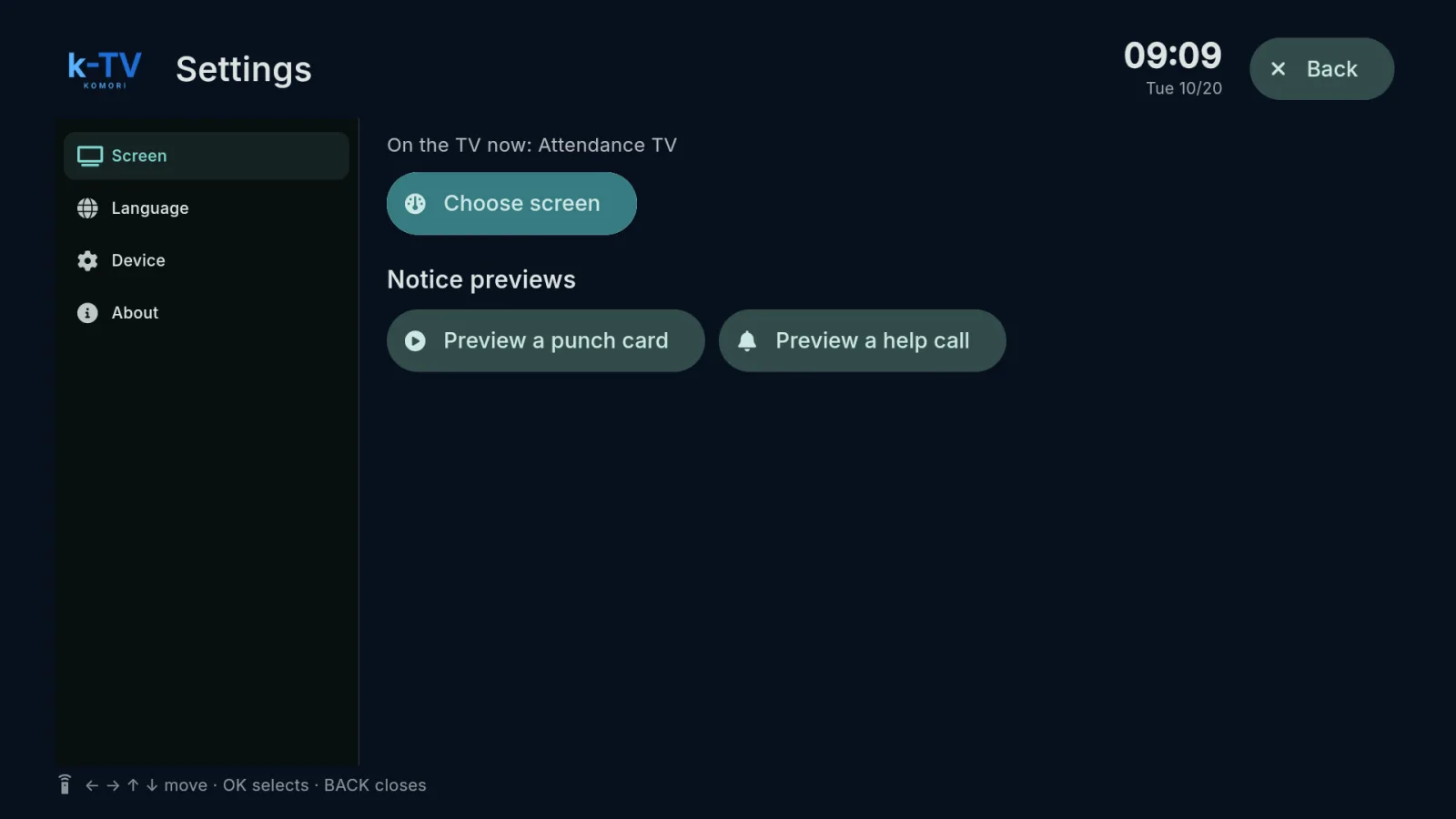 Choose and change the TV screenSettings → Screen: what is on the TV now, the screen picker, 1–9 shortcuts and light or dark theme.English
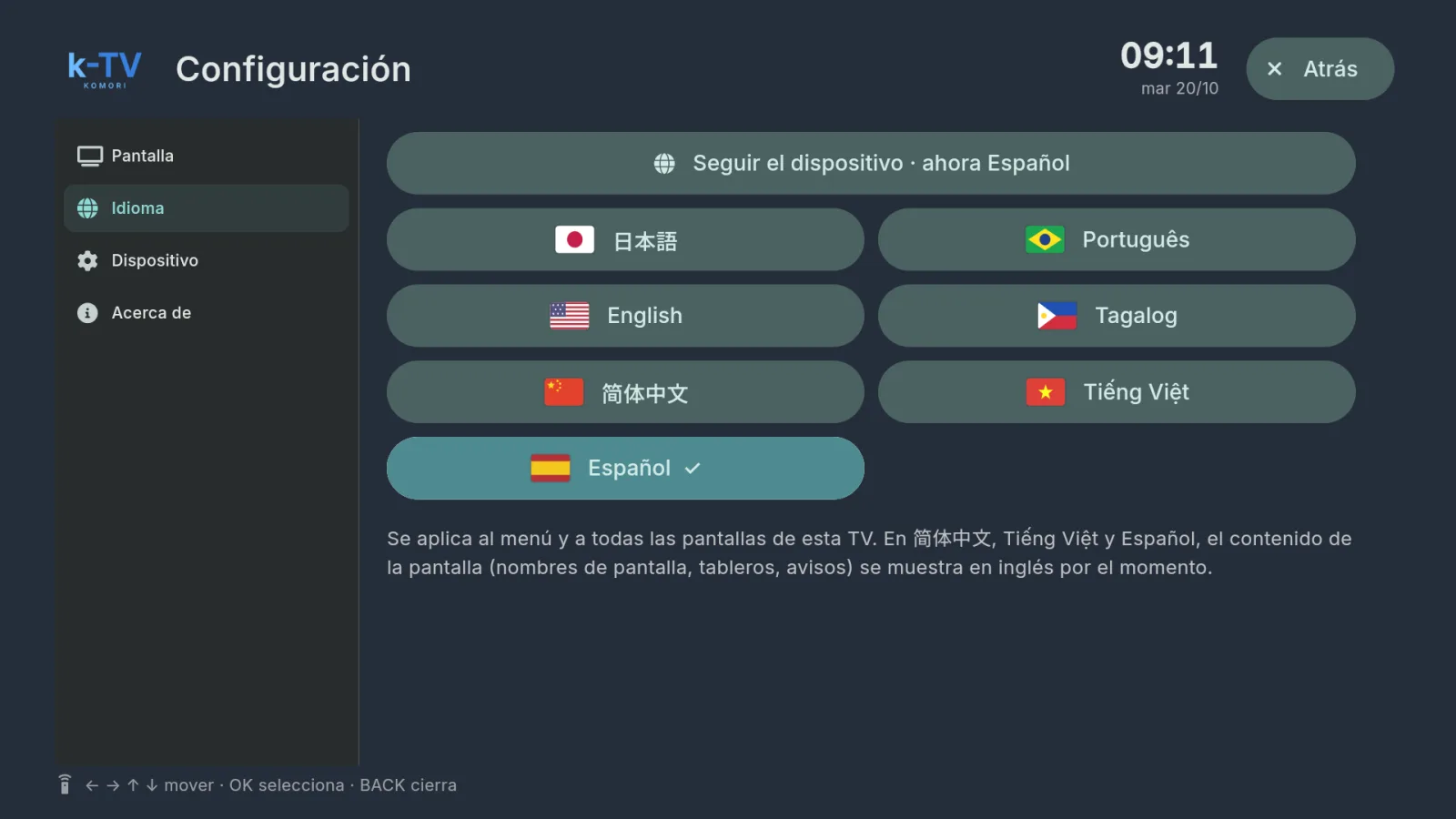 Change the TV languageSettings → Language: 7 languages, or follow the device language.English
- Using the remote controlWhat each key does in k-TV: MENU, BACK, arrows, OK and the numbers 1–9.English
- Device, updates and working without internetDevice and About tabs, sync, app updates and what the TV shows when the internet drops.English
- Frequently asked questions — k-TVSupported devices, internet, available screens, starting by itself, updates and languages.English