Ir al contenido
0532-35-9001
[email protected]
Español
— Idioma
日本語
Português
English
Tagalog
简体中文
Tiếng Việt
Español
Manuales
Sobre nosotros
Departamentos
Productos y aplicaciones
Servicios en la nube (SaaS) y apps
KoLite
Karta
Kenten
KŌLOGY
KMR
KOCHAT
KoMail
KOREOS HOME
k-TV
Familia KOREOS · KOMORI Software
KoCAD
KU
K-Units
KM
KOREOS MENT
KS
KOLOGY Software Lite
KS
KOLOGY Software Pro
Productos y aplicaciones · its-komori.com ↗
Contactar ↗
Menú
Buscar en todos los manuales
Servicios en la nube (SaaS) y apps
KoLite
Karta
Kenten
KŌLOGY
KMR
KOCHAT
KoMail
KOREOS HOME
k-TV
Familia KOREOS · KOMORI Software
KoCAD
KU
K-Units
KM
KOREOS MENT
KS
KOLOGY Software Lite
KS
KOLOGY Software Pro
Novedades
Glosario
Sobre nosotros ↗
Departamentos ↗
Productos y aplicaciones ↗
Contactar ↗
Manuales
k-TV
Pantallas y funciones
Información en pantallas
k-TV
Cómo usar k-TV
7 artículos
Versión actual
1.24.1
Página del producto ↗
Buscar en el manual de k-TV
Buscar
Pantallas y funciones
Todos
Choosing the screen
1
Language
1
Remote control
1
Device and updates
1
Choosing the screen
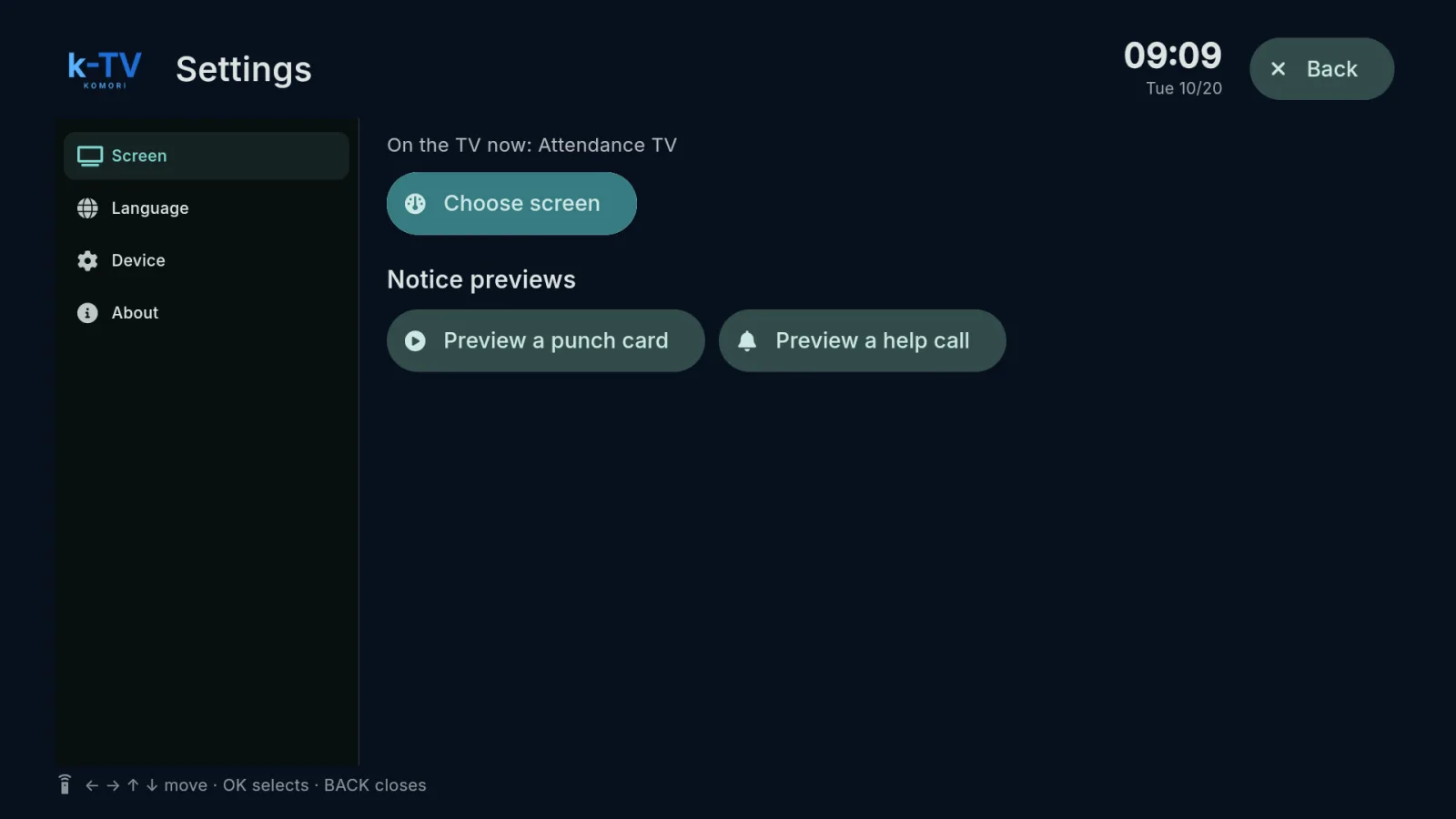
Choose and change the TV screen
Settings → Screen: what is on the TV now, the screen picker, 1–9 shortcuts and light or dark theme.
English