











- MớiIn More → Account → Driver's license, upload the front and back and set the expiry date. Check whether the license is expiring soon or expired.
K
KoChiken
Cách dùng KoChiken
Bắt đầu từ đây
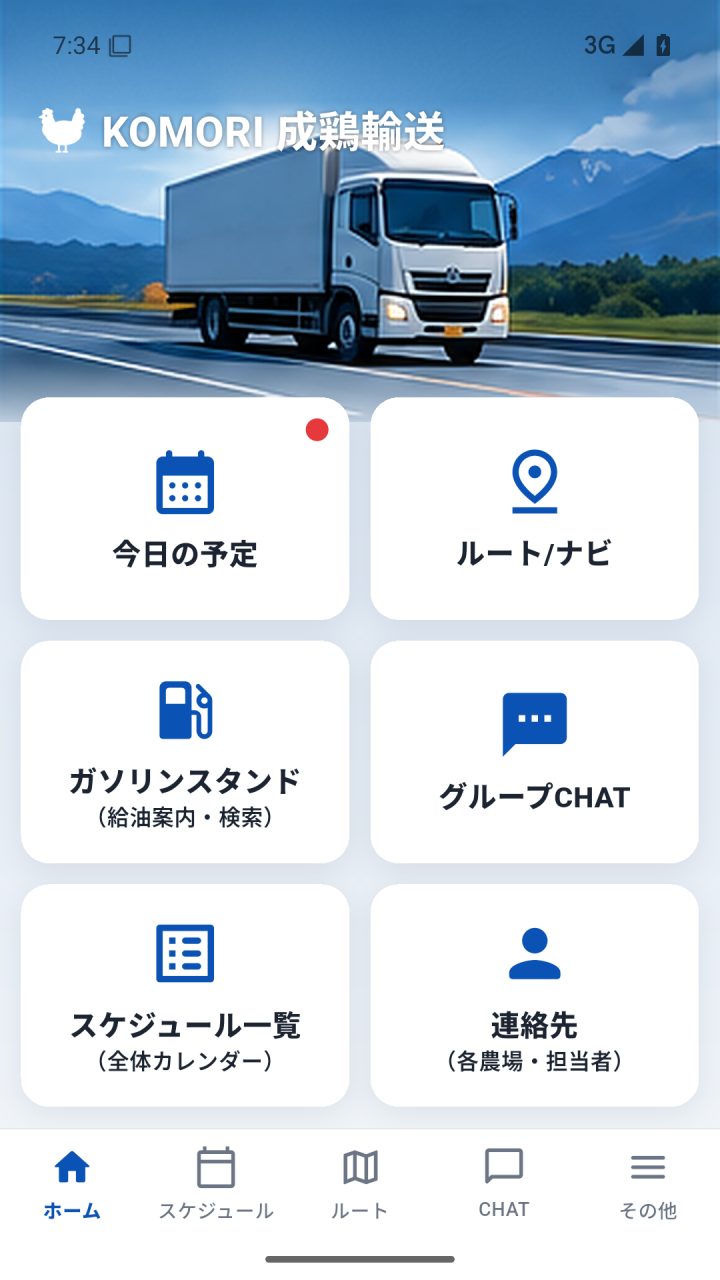 Driver app manual (complete, with pictures)Every screen and button of the driver app, step by step: sign-in, profile, the 6 home buttons, departure, navigation, refuelling, receipts, arrival, chat and FAQ.English
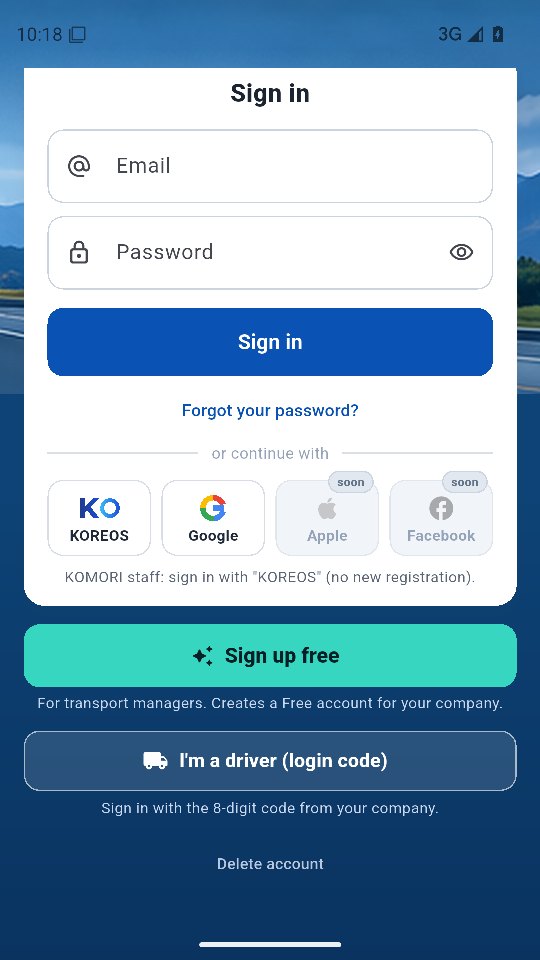 Sign inDrivers: 8-digit code. Managers: e-mail, KOREOS or Google.English
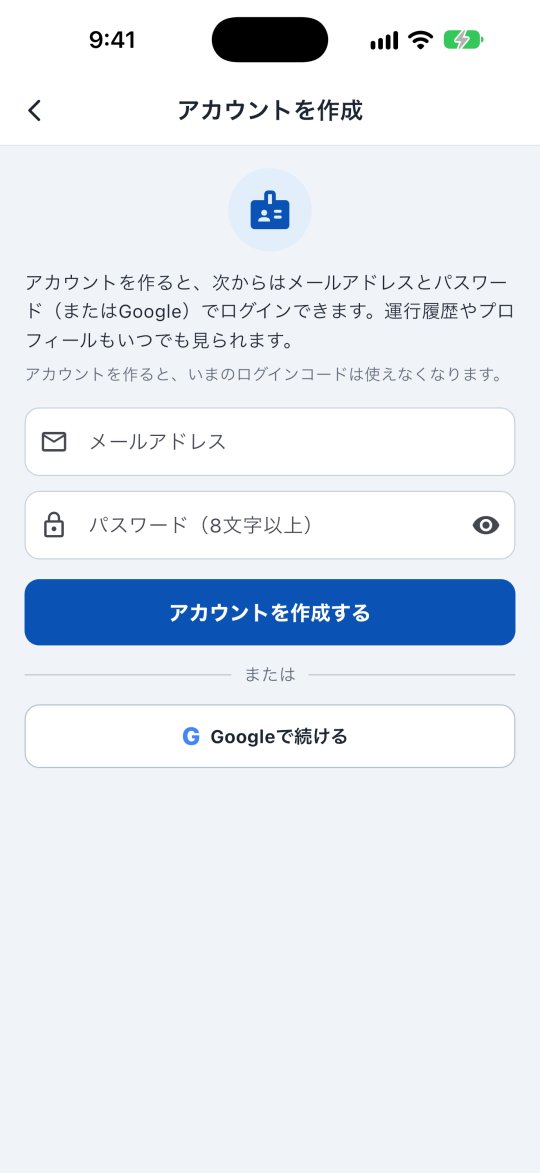 Driver account (create, history, delete)Sign in with your code once and create an account; then use e-mail/Google. See your trip history, receipts and profile, and delete the account.English
Màn hình & chức năng
Xem tất cả (7) →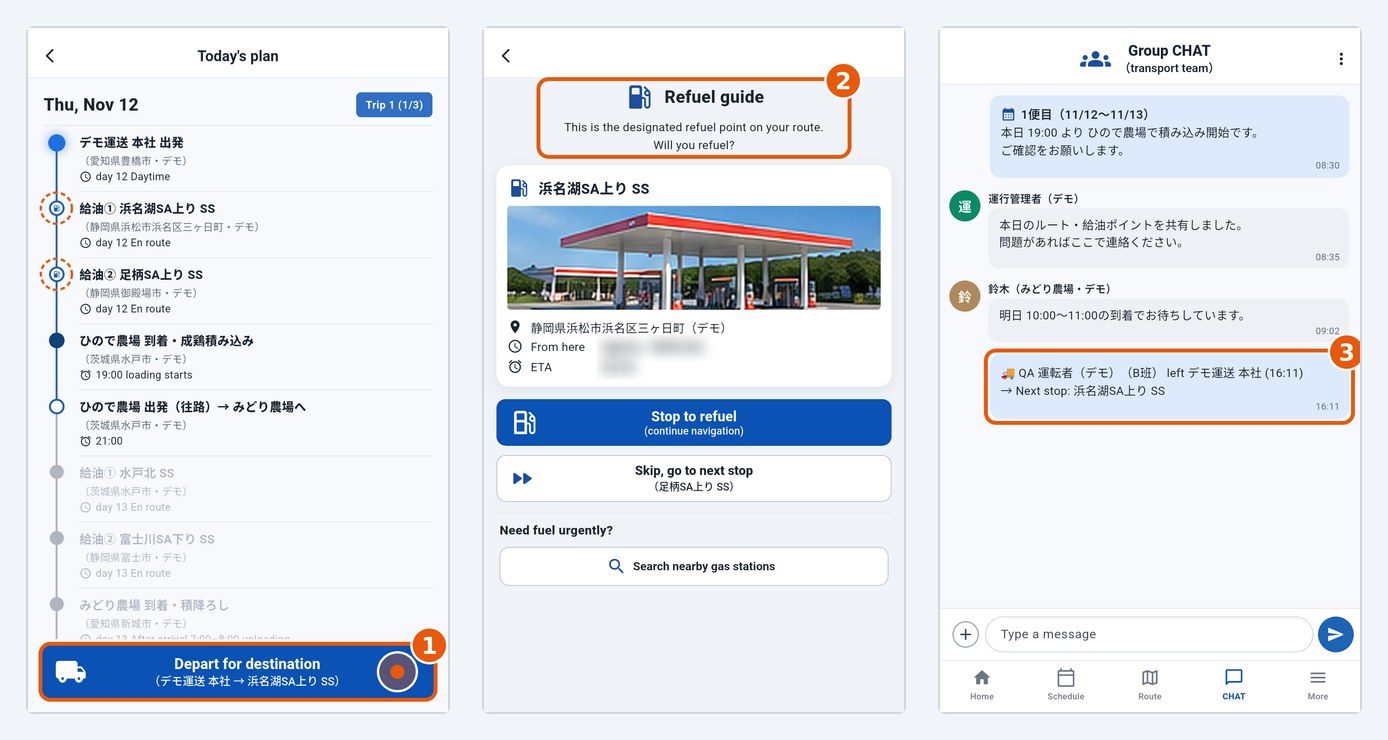 Today's plan and departureCheck stops in Today's plan and tap Depart for destination to leave; the office and the group (CHAT) are notified automatically.English
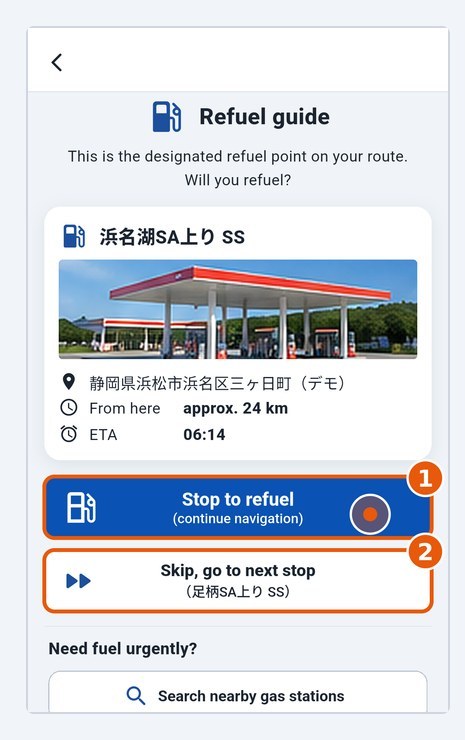 Fuel stop: stop or skipAt a planned fuel stop, choose whether to stop; after refuelling, tap I refuelled.English
- Find nearby gas stationsLists stations near you when you need fuel urgently.English
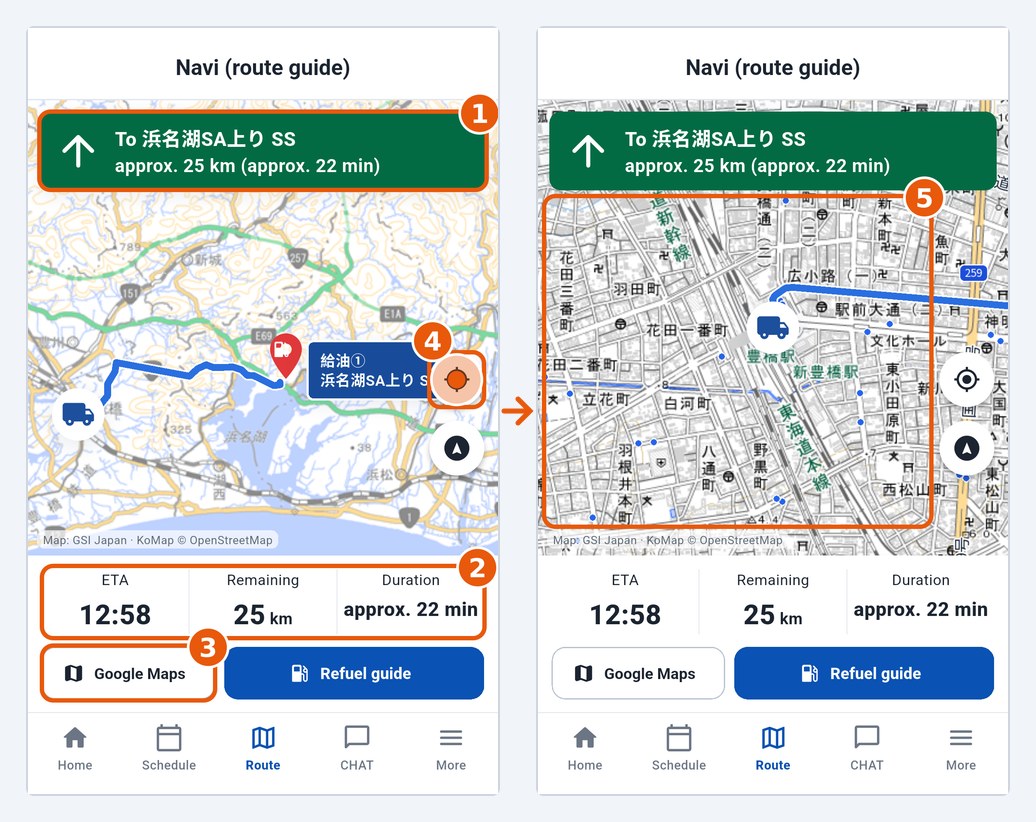 Route and navigationMap with the KoMap layer on top, distance and ETA to the next destination; voice navigation with Google/Apple Maps.English
- Group chat and contactsTalk with the office and farms; phone numbers of farms and lodging.English
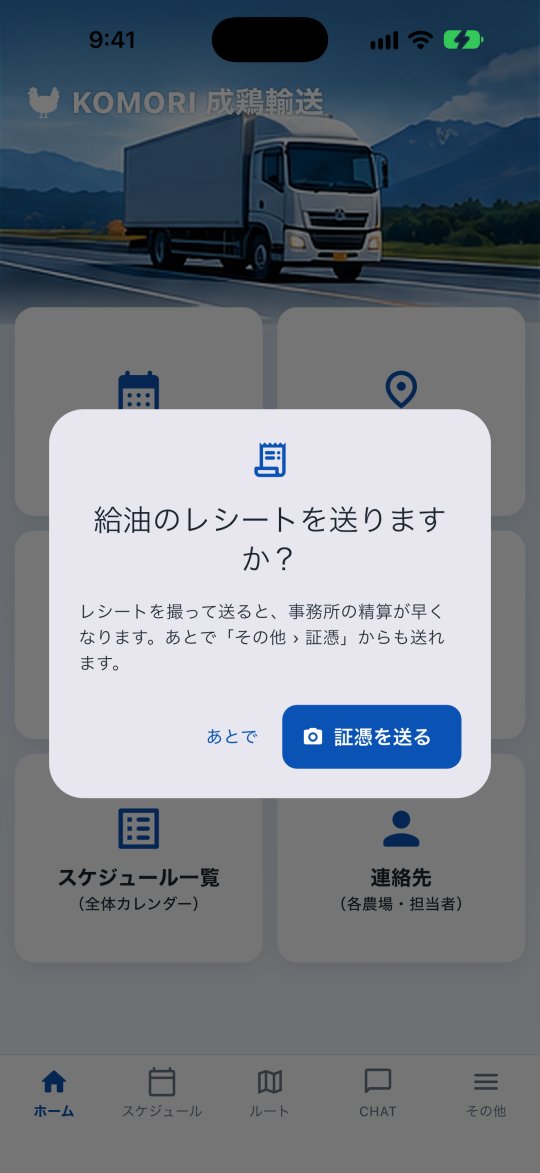 Send receiptsPhotograph a receipt (fuel, toll, parking…) and send it to the office. See the status of each one: waiting, approved or returned.English