











- ImprovedA prominent camera on the left and controls on the right, with a clear OK/NG result, larger buttons and recent history. Synthetic-image demo without saving inspections. Full screen and frame snapshots make presentations easier. Updated guides and release notes. The image shows the web station with a synthetic sample.
KQ
KOREOS QUALITY VISION
Camera visual inspection: foreign object, defect and metrology, with a per-customer profile.
What’s new
- NewManual, stable-part automatic and conveyor countdown modes. Register the empty background and save changeover timings per station and camera. Automatic waits for a still part and avoids repeating the same stationary part. Alert actions free the camera; pending records remain protected in the queue. The KOMORI server uses Sign in with KOREOS. The image shows the web station; the tablet offers the same modes.
- NewCamera calibration at the station: hardware or digital zoom, exposure, focus, resolution, inspection area, margin and scale. Settings save by station and camera. The full frame is visible; framing changes require a new reference.
- NewA part without a reference (good part) is not judged: the app shows NO REFERENCE and lets you register it right there.
- NewIn-app update: a bar appears when a new version exists; tap “Update now” (the file is verified before installing). New “Report a problem” in Settings.
- ImprovedQUALITY VISION now has its own icon on the tablet home screen.
- FixedAfter resolving a PROBLEM the station no longer re-opens the same alert: it WAITS FOR THE NEXT PART and judges again when the part is swapped (scene changes) or you tap Start. “False positive” counts as OK and is recorded as a false alarm.
- FixedThe app no longer closes on launch on Intel/x86_64 tablets and computers (e.g. Chromebook).
- FixedInspection time and shift are recorded correctly even if the tablet uses another time zone. The “waiting to upload” count in Settings updates right away.
- NewKOREOS QUALITY VISION tablet app. Sign in to your plant system and inspect with the tablet camera (or a USB camera on devices that support it). PASSED / PROBLEM full screen, using the same part setup and calibration as the PC, judged on the device.
- NewFor dimensional inspection (e.g. BUSBAR), 4-point calibration can also be done on the tablet. The server decides “ready” (quality ≥ 82, error ≤ 0.30 mm).
- NewInspection keeps going offline: records stay on the device and upload by themselves when the connection returns, never duplicated. Settings → Wiki / Guide and What's new inside the app.
Recently updated
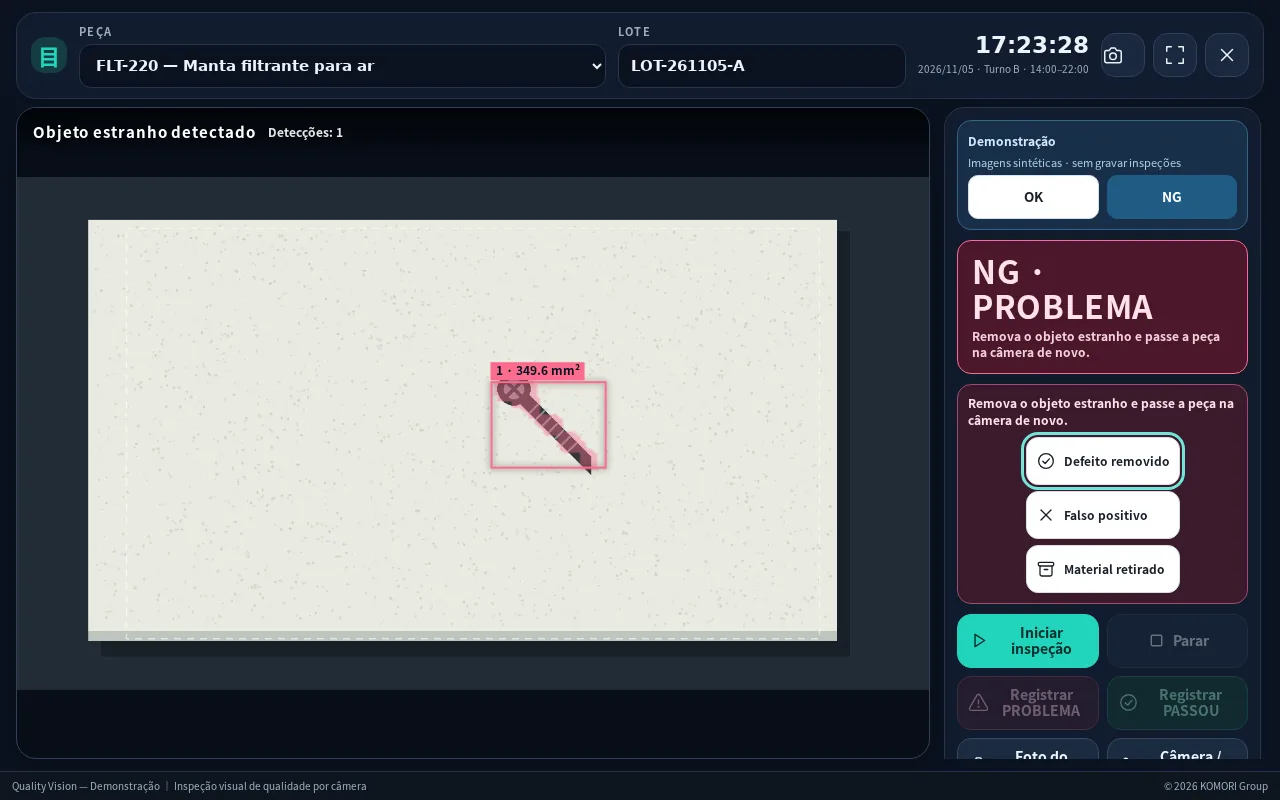 Getting started with QUALITY VISIONWhat the product is and the path from first sign-in to recording the first inspection.
- Inspection station: screen, shortcuts and pedalReading the large line-side PC screen and using keyboard and pedal.
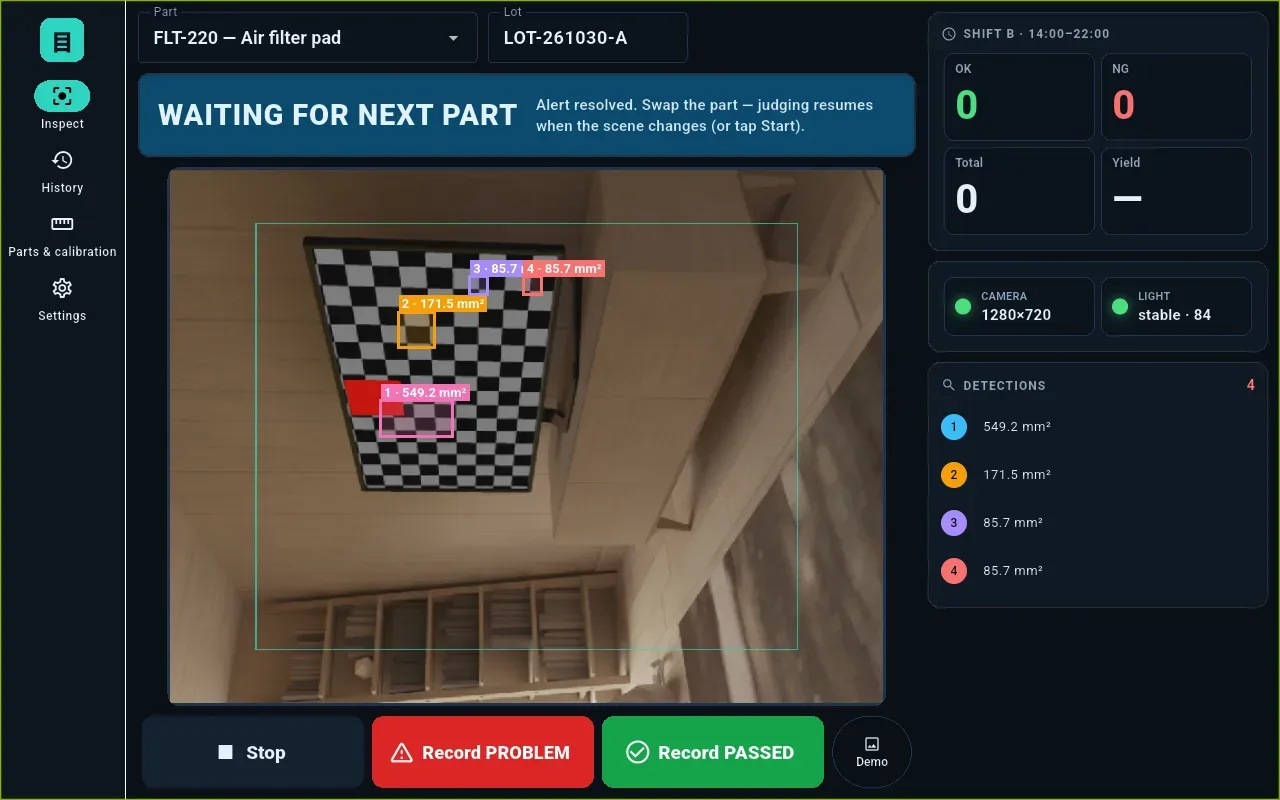 After the alert and the reference (good part)How to resolve a PROBLEM and when the station judges again.
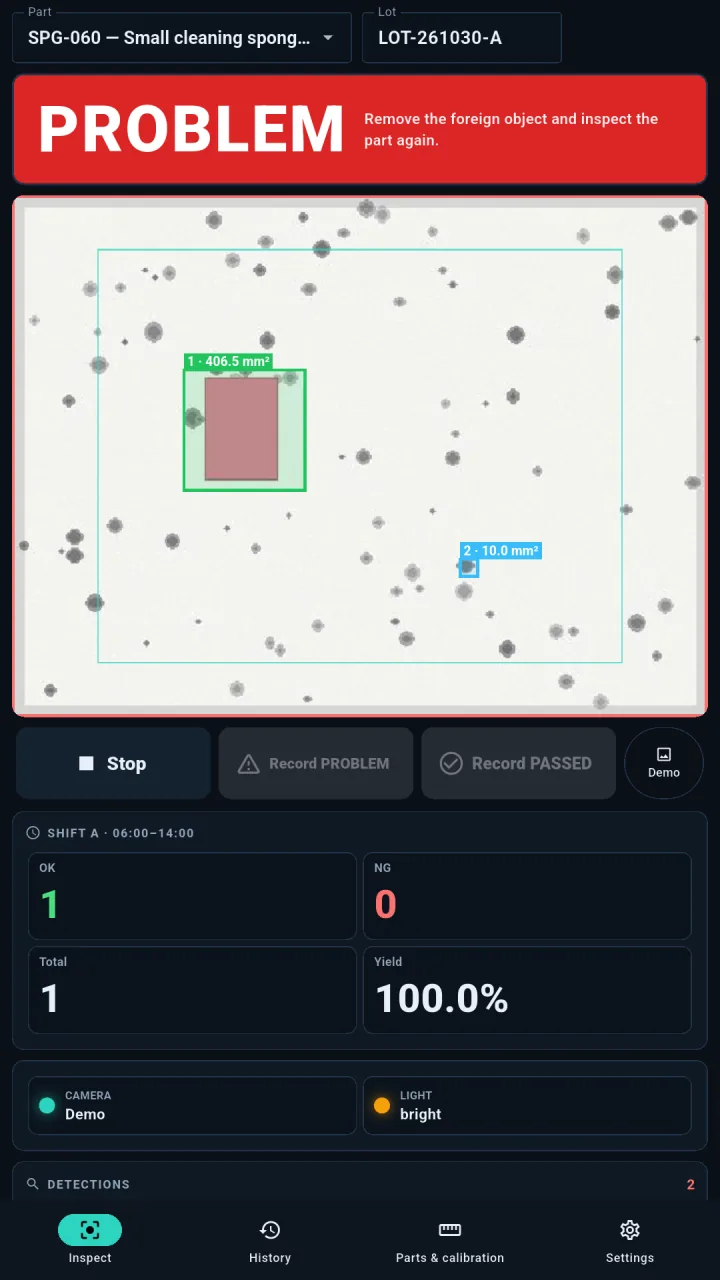 Android tablet appInspect with the tablet camera and record on the same system — even offline.
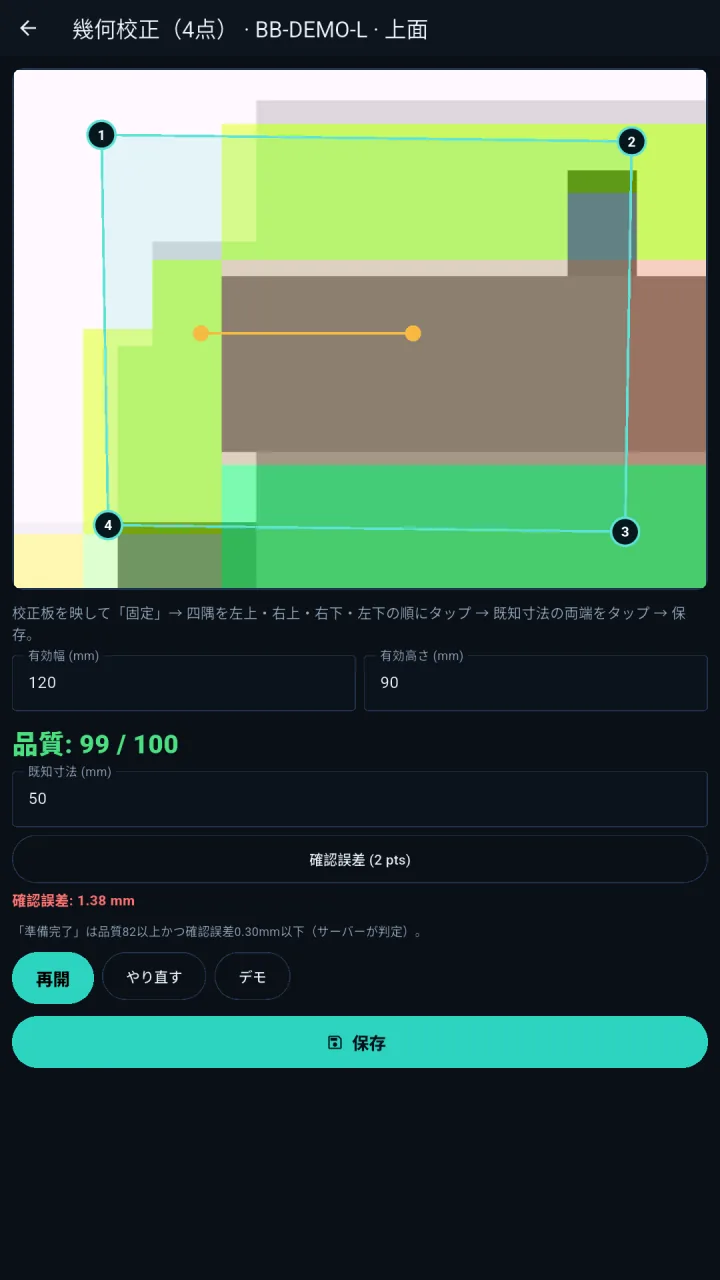 Camera, mm scale and 4-point calibrationZoom, inspection area, mm scale and 4-point calibration for measuring.
- Shift report, history and CSVTotals per shift and day, history filters, CSV for Excel and traceability.