跳到正文
0532-35-9001
[email protected]
简体中文
— 语言
日本語
Português
English
Tagalog
简体中文
Tiếng Việt
Español
手册
公司概况
事业部
产品与应用
云服务(SaaS)与应用
KoLite
Karta
Kenten
KŌLOGY
KMR
KOCHAT
KoMail
KOREOS HOME
k-TV
KOREOS 系列 · KOMORI Software
KoCAD
KU
K-Units
KM
KOREOS MENT
KS
KOLOGY Software Lite
KS
KOLOGY Software Pro
产品与应用 · its-komori.com ↗
联系我们 ↗
菜单
搜索全部手册
云服务(SaaS)与应用
KoLite
Karta
Kenten
KŌLOGY
KMR
KOCHAT
KoMail
KOREOS HOME
k-TV
KOREOS 系列 · KOMORI Software
KoCAD
KU
K-Units
KM
KOREOS MENT
KS
KOLOGY Software Lite
KS
KOLOGY Software Pro
新功能
术语表
公司概况 ↗
事业部 ↗
产品与应用 ↗
联系我们 ↗
手册
k-TV
界面与功能
现场信息看板
k-TV
k-TV 使用方法
7 篇文章
当前版本
1.24.1
产品页面 ↗
搜索 k-TV 手册
搜索
界面与功能
全部
Choosing the screen
1
Language
1
Remote control
1
Device and updates
1
Choosing the screen
Choose and change the TV screen
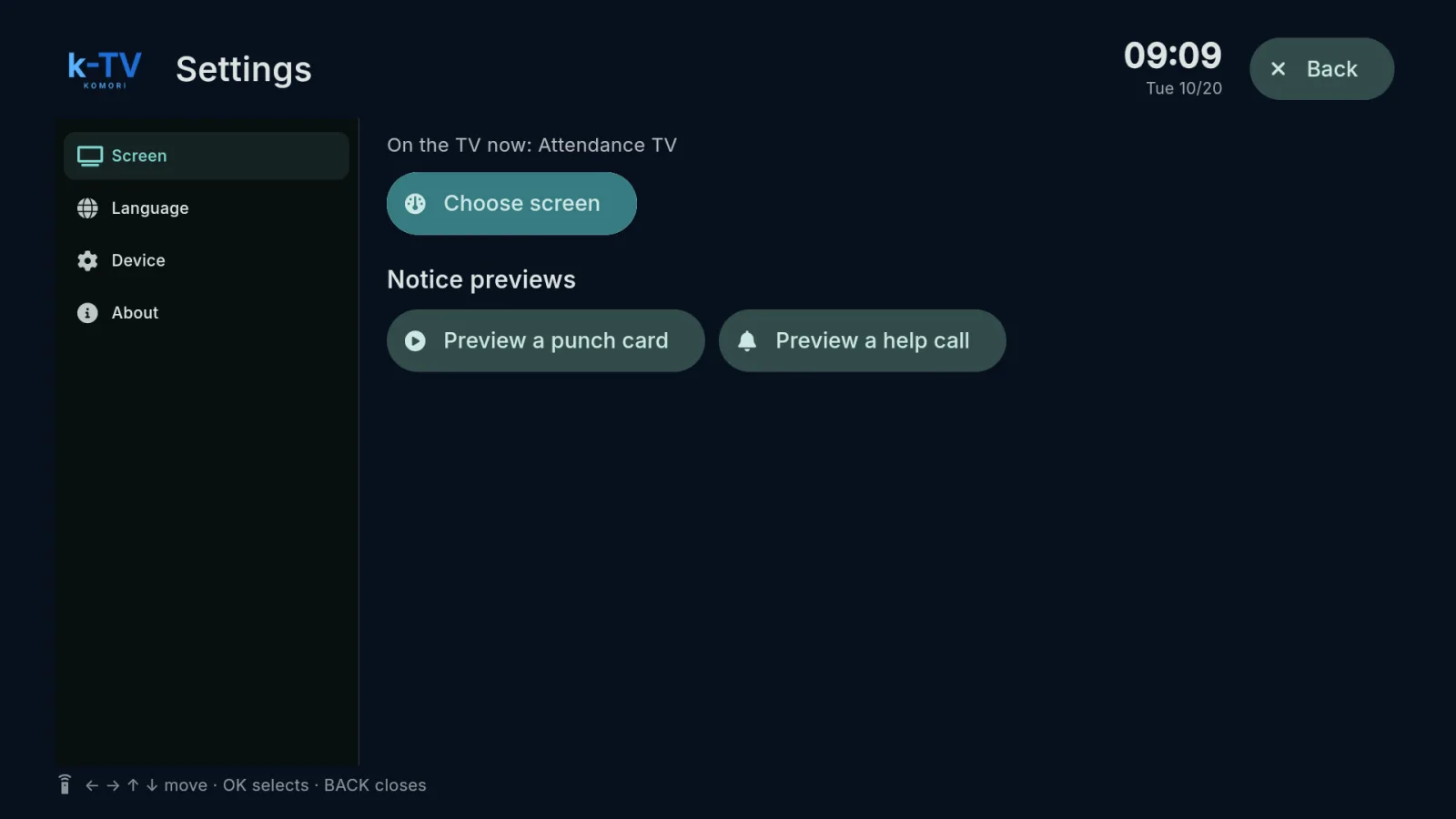
Settings → Screen: what is on the TV now, the screen picker, 1–9 shortcuts and light or dark theme.
English
Language
Change the TV language
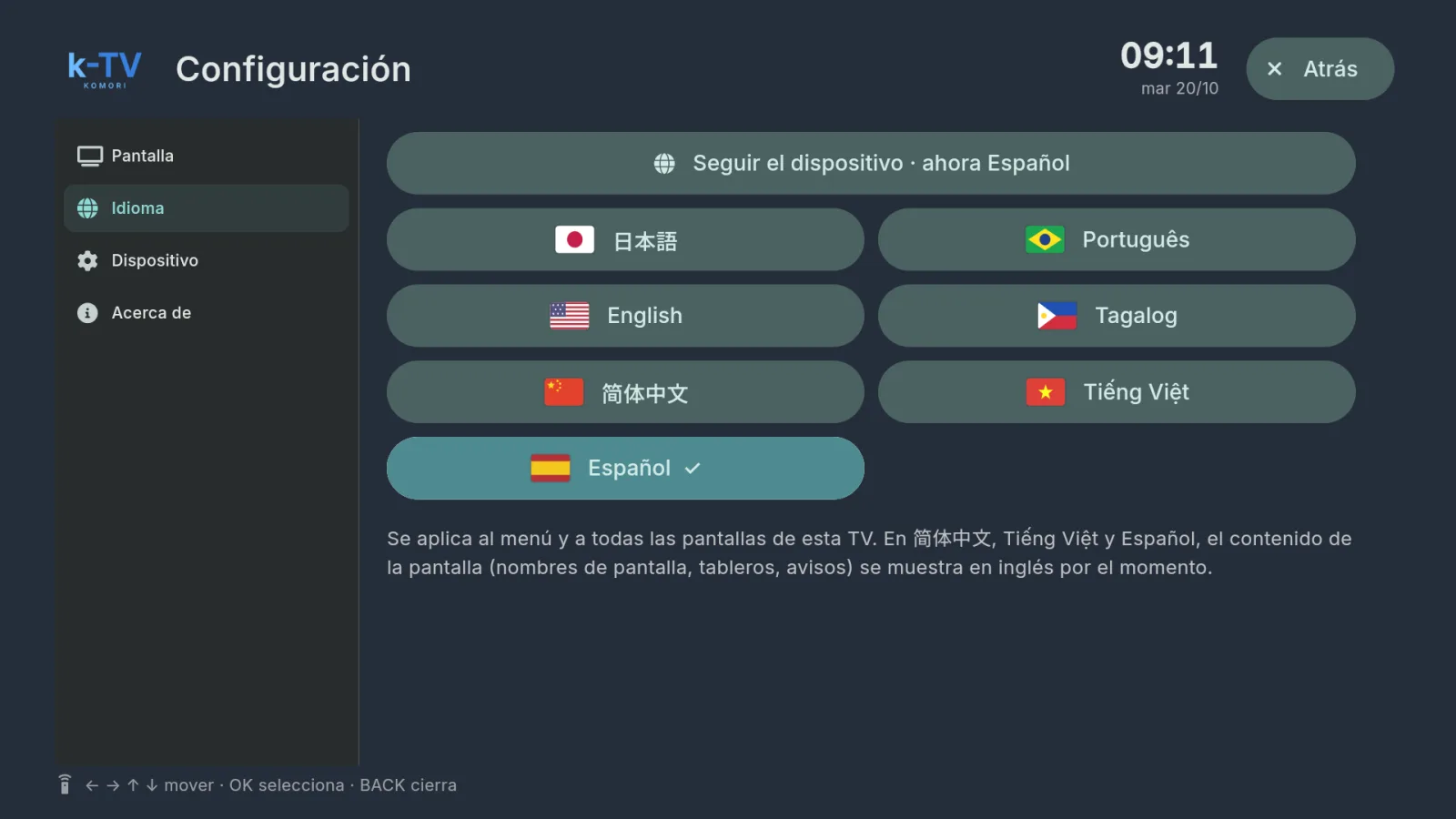
Settings → Language: 7 languages, or follow the device language.
English
Remote control
Using the remote control
What each key does in k-TV: MENU, BACK, arrows, OK and the numbers 1–9.
English
Device and updates
Device, updates and working without internet
Device and About tabs, sync, app updates and what the TV shows when the internet drops.
English